

Risk Acceptances (Pro)
Risk Acceptances are a special status that can be applied to Findings using either Full Risk Acceptance objects or the Simple Risk Acceptance workflow. Risk Acceptances are used to formally document and operationalize the decision to acknowledge a vulnerable Finding without immediately remediating it.
DefectDojo Pro includes enhanced Risk Acceptance capabilities to scale risk management decisions, including:
- Cross-Product Risk Acceptances: A single Risk Acceptance can be applied across multiple products, allowing you to bundle all instances of the same or similar Findings throughout your entire portfolio of Assets into a single Risk Acceptance object.
- Bulk Risk Acceptance Management: Filter and search for specific Findings of vulnerability IDs and apply Risk Acceptance to all results simultaneously regardless of the Asset they belong to.
Accessing Risk Accepted Findings
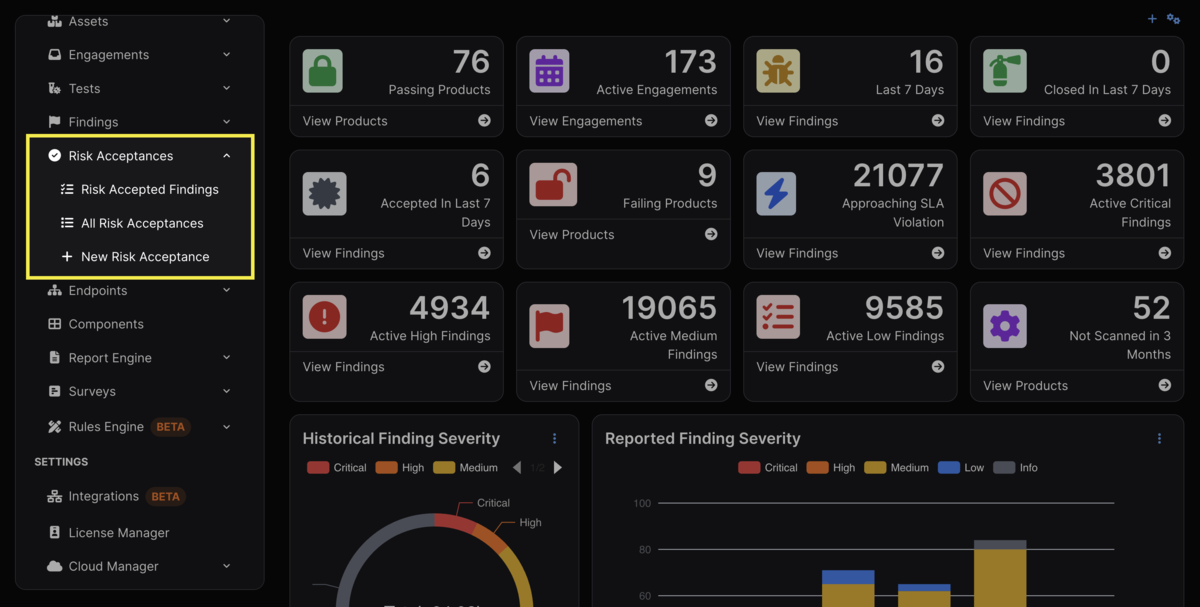
The sidebar features a section for Risk Acceptances that includes three subsections in its dropdown menu:
- Risk Accepted Findings
- This section includes a table of all Findings that have been risk accepted, whether through as a part of a Full Risk Acceptance object or using the Simple Risk Acceptance workflow.
- All Risk Acceptances
- This section includes a table of all Full Risk Acceptance objects, arranged in chronological order.
- New Risk Acceptance
- Clicking this option in the sidebar will start the workflow to create a Full Risk Acceptance object.
Creating Risk Acceptances
When a Finding is Risk Accepted, the following will occur:
- The Finding’s status will no longer be “Active”.
- The Finding’s status will be changed to “Risk Accepted.”
- The Finding will no longer be counted toward Metrics, but will still appear within the Test it originated from.
Findings can be Risk Accepted in one of two ways: They can either be added to Full Risk Acceptance objects, or by using the Simple Risk Acceptance workflow.
Full Risk Acceptances
A Full Risk Acceptance allows Users to accept the risk of multiple Findings while bundling them into a single object, regardless of the Asset, Engagement, or Test they originated from.
If organizational policy requires formal, documented risk acceptances, or Users want to have risk acceptances automatically expire after a certain date, Full Risk Acceptance is the best choice, as they capture the internal decision-making process and can serve as a source of truth.
Each Full Risk Acceptance adds additional context to Risk Acceptance, such as:
- The name of the Risk Acceptance object.
- The owner of the Risk Acceptance object.
- The security recommendation and decision regarding how to handle the Finding(s).
- Any proof associated with the recommendation or decision.
- Details regarding the recommendation or decision.
- The User who accepts the risk associated with the decision.
- The expiration date.
- Whether the Finding’s status will return to “Active” upon expiration.
- Whether the SLA will restart upon expiration.
Expiration is unique to Full Risk Acceptance objects, and allows any Findings that have been Risk Accepted to be re-examined at an appropriate time. Once a Risk Acceptance expires, any Findings will be set to Active again.
If you don’t specify a date, the Default Risk Acceptance / Default Risk Acceptance Expiration days will be used from the System Settings page.
How to Complete a Full Risk Acceptance
A Full Risk Acceptance object can be made in three different ways:
- Using the New Risk Acceptance button in the sidebar.
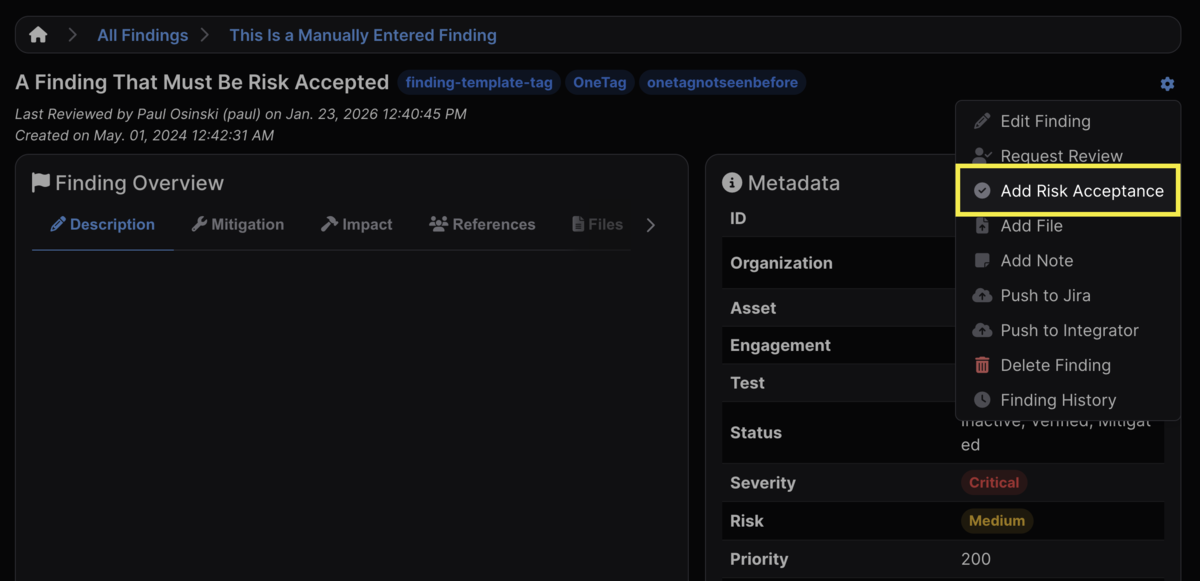
- Using the Add Risk Acceptance button on an individual Finding.
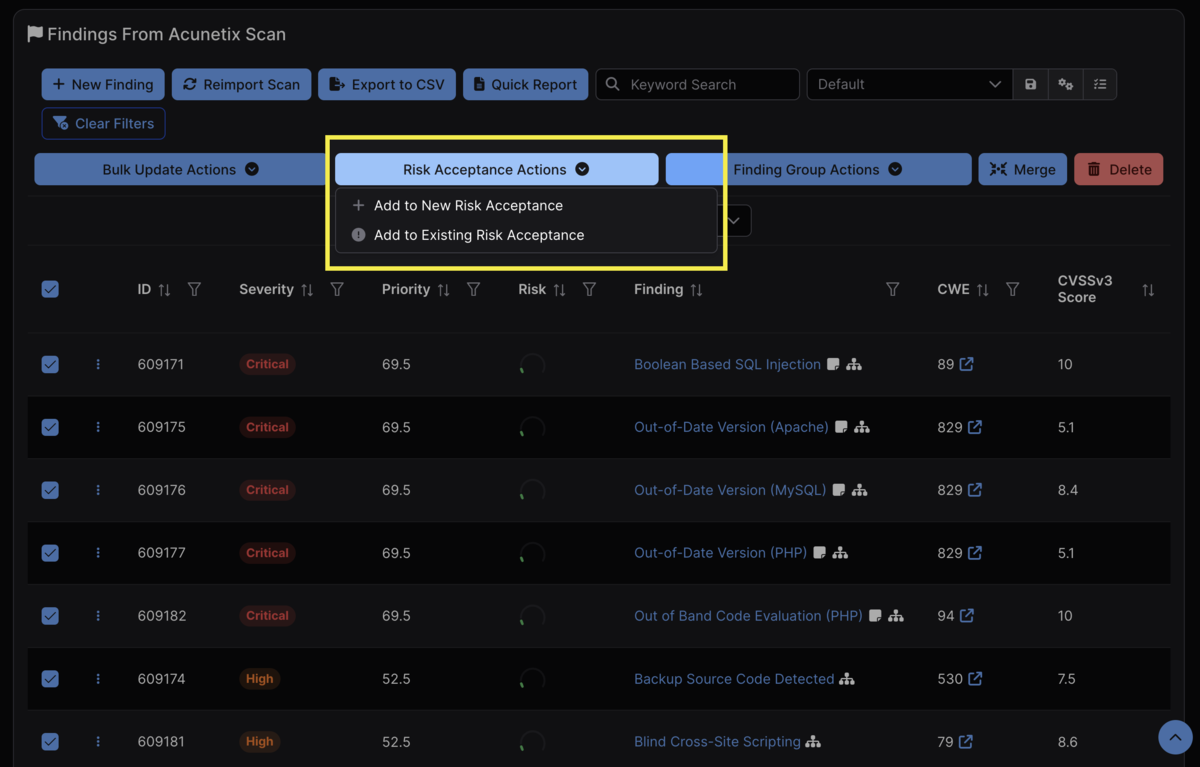
- Clicking the Risk Acceptance Actions button that appears after selecting a Finding/multiple Findings from within a table.
New Risk Acceptance (Sidebar)
Clicking New Risk Acceptance from the sidebar will open a page in which the User can establish the data and details associated with a new Full Risk Acceptance object. The second page will allow the User to filter and select the Findings to be added to that object.
Add Risk Acceptance (Individual)
Having opened an individual Finding, click the gear icon in the top right corner of the view and select Add Risk Acceptance. From there, you will be able to either add the Finding to an existing Full Risk Acceptance object, or create a new object.
Risk Acceptance Actions (Table)
Having selected a Finding/Findings from within a table, click the Risk Acceptance Actions button that appears at the top and select either Add to New Risk Acceptance Object or Add to Existing Risk Acceptance Object and fill out the required fields.
Findings can only be added to a single Risk Acceptance at once. If the Risk Acceptance Actions button is unclickable, it’s likely because one of the selected Findings has already been added to a Full Risk Acceptance object.
Editing Full Risk Acceptances
Once a Full Risk Acceptance object has been created, you can edit the details of the object, upload a file with proof of the Risk Acceptance, or delete the object entirely by clicking the gear icon in the top right of the object’s view.
Findings can also be added and removed from the object using the same menu. Alternatively, Findings can be removed from the object by clicking the ⋮ kebab menu next to an individual Finding, clicking Bulk Update Actions, and selecting Unaccept Risk from the Simple Risk Acceptance Status dropdown menu.
Finally, if you add any Findings to a Full Risk Acceptance object and then subsequently delete that object, the Findings within will have their status automatically reverted to “Active.”
Simple Risk Acceptances
Simple Risk Acceptances do not have any associated metadata or expiration date. They are most appropriate for when tracking risk-accepted Findings is still required for compliance, but there is no associated need for an object to track or to change the status of the affected Findings.
Simple Risk Acceptance is not enabled by default, but it can be toggled in the Optional Fields portion of the Asset’s settings after clicking the gear icon in the top right of the Asset view.
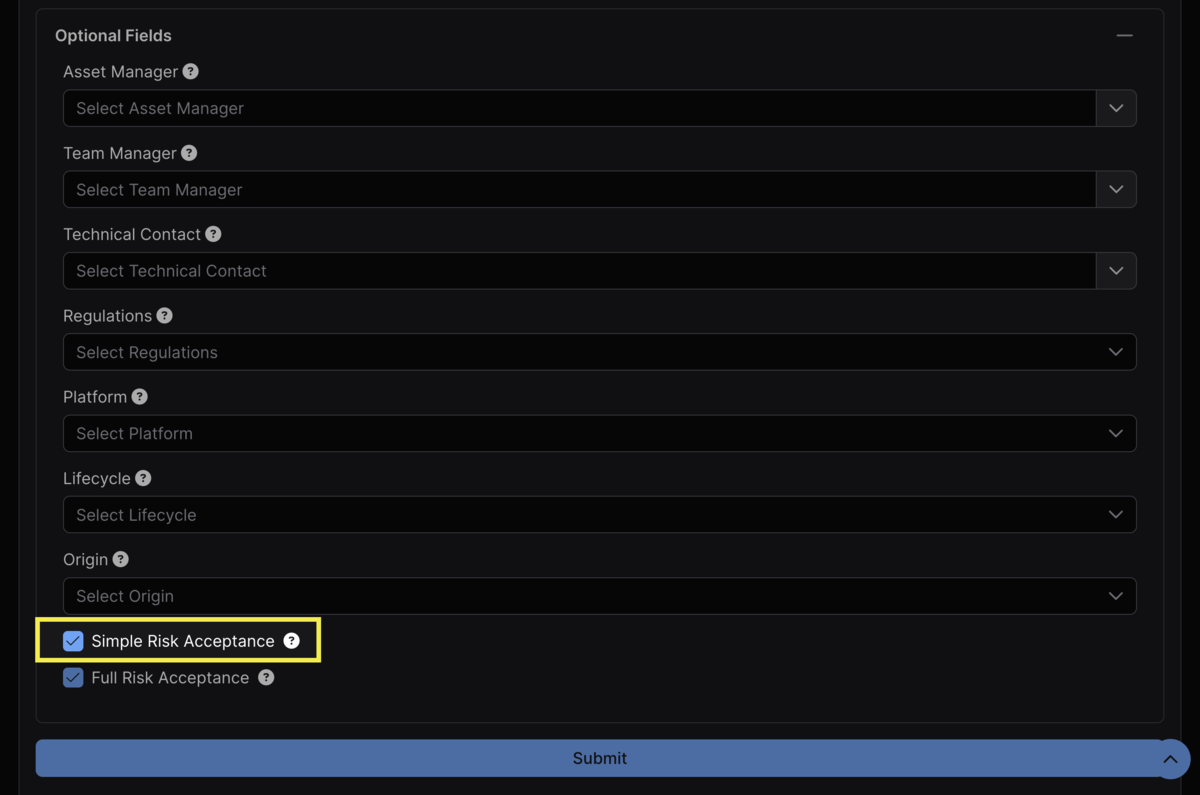
Once enabled, Simple Risk Acceptance can be run from the table of Findings within a Test view.
How to Complete a Simple Risk Acceptance
You can complete the Simple Risk Acceptance workflow from either the All Findings table (accessible from the sidebar) or from the table of Findings within a specific test. The workflow is identical between the two.
Select the Findings you wish to Risk Accept and click the Bulk Update Actions button that appears at the top of the table. From there, select Accept Risk from the Simple Risk Acceptance Status dropdown. Because the Findings have been Simple Risk Accepted, there is no associated Full Risk Acceptance object. The Findings that were Risk Accepted are accessible from the Risk Accepted Findings menu in the sidebar.
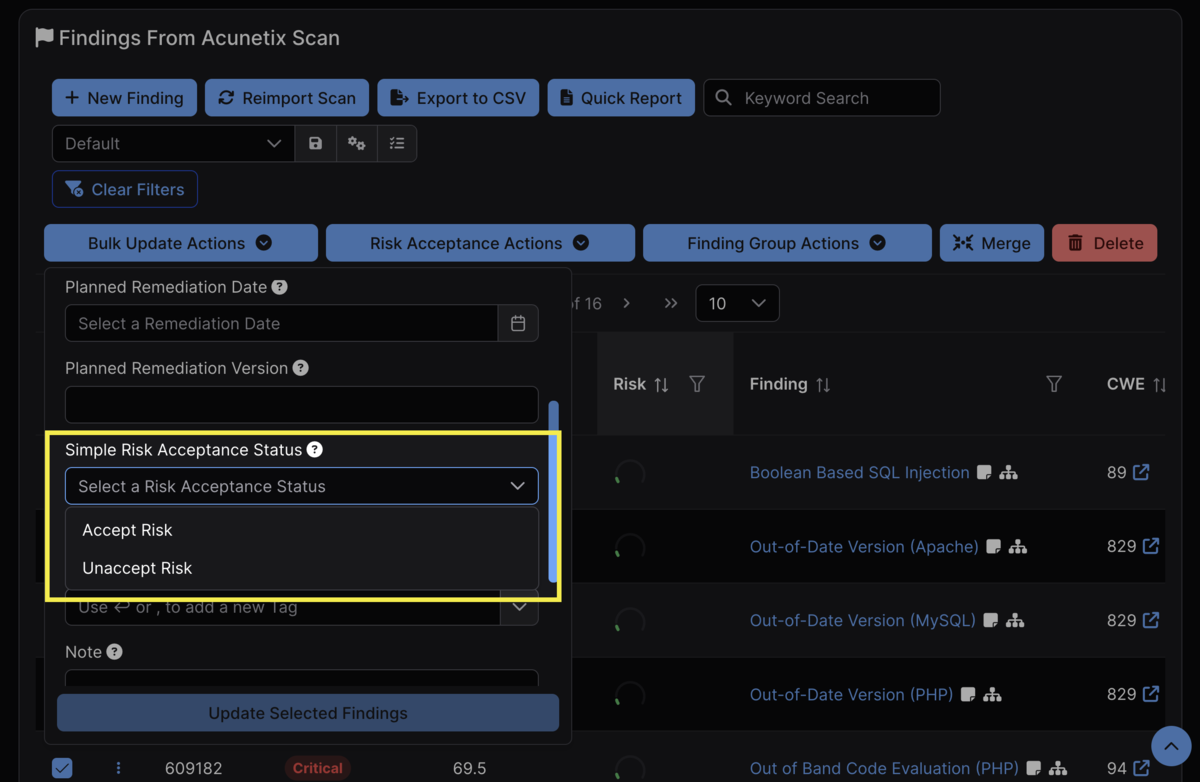
Conversely, if you wish to unaccept the risk for any Findings that had been previously Risk Accepted, select Unaccept Risk. If a Finding has been Simple Risk Accepted, the risk must be unaccepted prior to adding it to a Full Risk Acceptance object.
Risk Acceptance Best Practices
While it is possible to affect Findings within Full Risk Acceptance objects using Simple Risk Acceptance workflows (and vice versa), it is generally preferable to default to either process exclusively rather than having both enabled at once.
For example, if Full Risk Acceptance objects are the default approach, if a Finding is Simple Risk Accepted, it may cause confusion if there is no associated object that contains the affected Finding. Similarly, if Findings are typically Simple Risk Accepted, it may create similar confusion to then add some Findings to a Full Risk Acceptance object when there are no such objects for most other Findings.