

The POA&M Ledger (Pro)
POA&M items are created and updated automatically from findings. The sync runs shortly after imports and finding changes, and a nightly sweep catches anything that slipped through. You can also add items by hand, for weaknesses that no scanner reports.
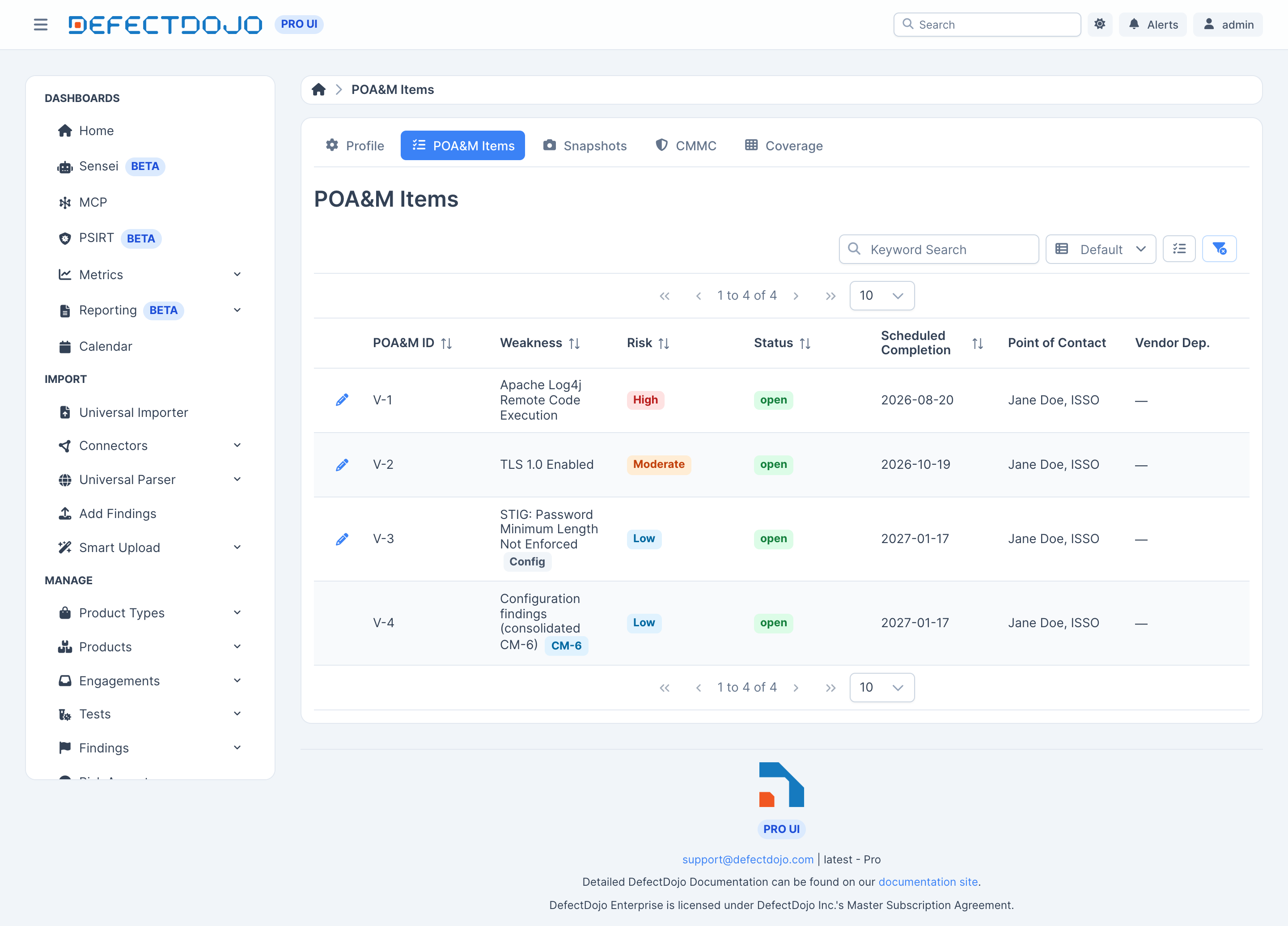
Ledger conventions
The ledger follows FedRAMP conventions:
- Stable numbering. Every item keeps a sequence number within its system, and numbers are never reused.
- Grouped findings roll up. The same CVE across many hosts becomes one item, with each affected asset listed on it.
- Configuration findings can consolidate under CM-6, instead of flooding the ledger with one
item per benchmark rule. In the screenshot above,
V-4is that consolidated item. - Closed items never reopen. If the same weakness comes back, the ledger opens a new item that references the old one, so your remediation history stays intact.
Editing an item
The pencil on any row opens the item for editing.
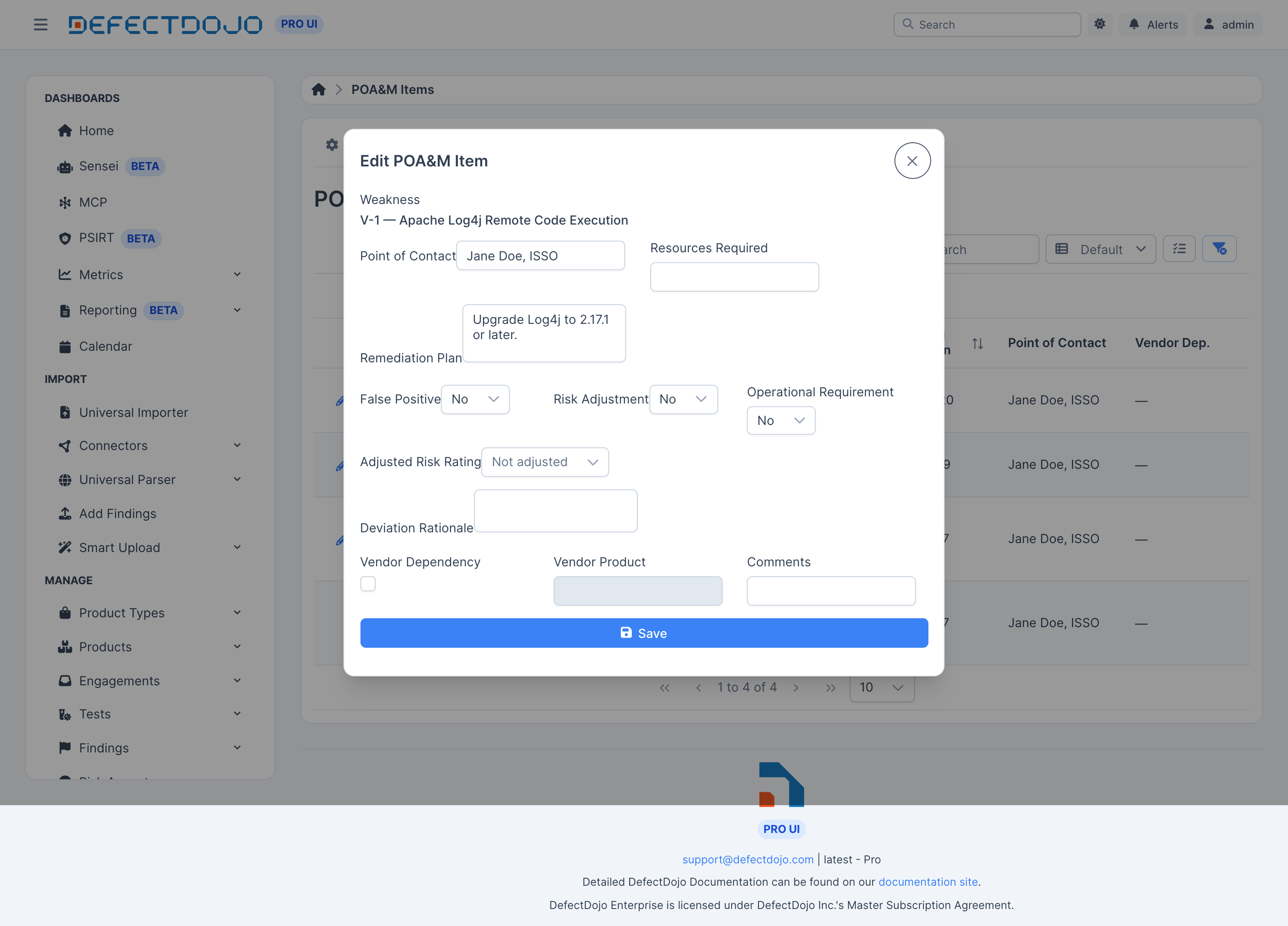
From here you set the point of contact, resources required, and remediation plan, and record any deviation.
Deviations
Deviations are tracked as three separate states on each item:
| Deviation | Values |
|---|---|
| False Positive | No, Pending, or Yes |
| Risk Adjustment | No, Pending, or Yes |
| Operational Requirement | No, Pending, or Yes |
Each carries a shared Deviation Rationale. A risk adjustment also records the Adjusted Risk Rating alongside the original, and both appear on the generated deliverables.
Vendor dependencies
Items can carry a Vendor Dependency flag and the Vendor Asset name, for weaknesses you cannot remediate directly. The date of your last vendor check-in is tracked with the item.
KEV tracking
Items tied to a CISA Known Exploited Vulnerability carry the KEV due date. That date also caps the remediation deadline — see Remediation Deadlines.
Milestones
Milestones carry a description with scheduled and completed dates, and appear in both the Excel and OSCAL outputs. They are managed through the compliance API rather than on the item form.
Adding an item by hand
Add an item for a weakness no scanner reports. Hand-created items behave like synced ones: they take the next sequence number, accept deviations and milestones, and appear on the next snapshot.
Two things differ. Sync never closes a hand-entered item, even one that cites findings: close it
yourself through /api/v2/poam_items/ by setting status to closed, with a closure_reason (for
example manual) and a closed_date.
The other difference is the Scheduled Completion Date. A synced item takes it from the finding’s
remediation deadline when the item is created, and the date never changes after that (see
Rate before the first POA&M sync). A
hand-entered item has no finding to take a date from, so you set it yourself: in the item form, or
as scheduled_completion_date (a YYYY-MM-DD date, or null to clear it) when you create or
update the item through /api/v2/poam_items/. The FedRAMP template marks the column as mandatory,
so give every hand-entered item a date before you generate a snapshot. The date fills the
workbook’s Scheduled Completion Date column and the deadline of the item’s OSCAL risk, and each
change is recorded in the item’s audit history.
A synced item’s date can’t be changed. The item form doesn’t show the field for synced items, and the API answers a request that changes it with a validation error.
Auditability
POA&M items, milestones, and deviations are all under audit history. Every change records who, what, and when.