

Compliance Profile (Pro)
The Compliance Profile enrolls an Asset as a system and holds the facts that appear on every deliverable it produces. Open the Asset that represents your system boundary, go to the Compliance tab, then Profile.
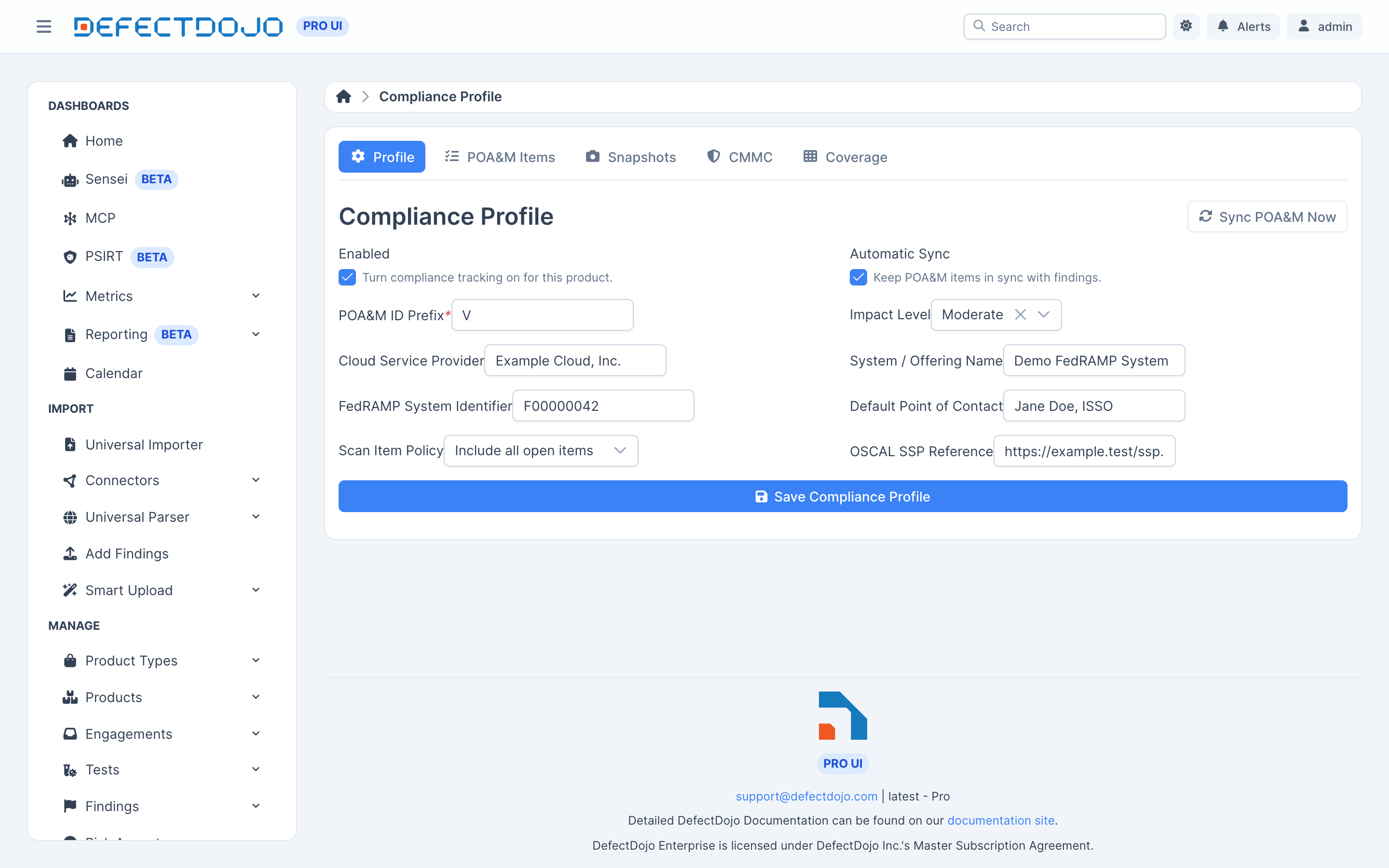
Profile fields
| Field | What it does |
|---|---|
| Enabled | Turns compliance tracking on for this Asset. |
| Automatic Sync | Keeps POA&M items in sync with findings. |
| POA&M ID Prefix | Item numbering. Required. Items are numbered V-1, V-2, and so on by default. |
| Impact Level | LI-SaaS, Low, Moderate, or High. |
| Cloud Service Provider | The CSP name, as it should appear on the POA&M cover data. |
| System / Offering Name | The system name, as it should appear on the POA&M cover data. |
| FedRAMP System Identifier | Your system’s identifier, for example F00000042. |
| Default Point of Contact | The POC applied to items that do not carry their own. |
| Scan Item Policy | Either include all open items, or only past-due scan items. |
| OSCAL SSP Reference | Optional. When set, generated OSCAL POA&Ms reference it through import-ssp. |
Choosing a scan item policy
Past-due-only is the FedRAMP ConMon minimum. Include All Open Items is the more conservative choice, and is the default.
Saving and syncing
Save Compliance Profile enrolls the Asset. The POA&M ledger then populates from the Asset’s existing findings, and the rest of the Compliance tab becomes available.
With Automatic Sync on, the ledger keeps itself current — see The POA&M Ledger. Sync POA&M Now runs a sync immediately, which is useful right after you change the profile or import a new scan.
Settings available through the API only
Two profile settings are not on the form and are set through the compliance API:
- Default scan controls — the controls attributed to scanner findings that carry no control
mapping of their own.
RA-5is the common choice for vulnerability scan results. Findings that do carry their own control references are mapped from those instead; see Control Coverage. - Configuration test types — the test types whose findings are treated as configuration items, which is what drives CM-6 consolidation in the ledger. A new profile starts with the posture scan types selected: Wazuh SCA, Fleet policies, Elastic posture, DISA STIG Checklist, OpenSCAP, Lynis, kube-bench, docker-bench, Cloud Posture Scan and Cortex Cloud posture. Their failed checks roll into the single consolidated CM-6 item rather than one POA&M item per rule (see DISA STIG Checklists). Whether a scan’s findings are configuration items is still a per-system decision, so remove any type that should file ordinary POA&M items for this system. A profile created before these defaults existed keeps the types it already had.
Auditability
Compliance profiles are under audit history: every change records who changed what, and when.