

Product Types (Open Source)
PRODUCT TYPES → Products → Engagements → Tests → Findings
Overview
Product Types sit at the very top of DefectDojo’s product hierarchy. Product Types are distinct from the descending objects in the hierarchy—Products, Engagements, Tests, and Findings—because they are not technical scan targets, but rather serve primarily as organizational abstractions that compartmentalize your security efforts according to:
- Business domain
- Development team
- Security team
- Software applications
- Overarching product family
- Customer or subsidiary
- Reporting structure
- etc.
The theme of the above examples exemplifies the essential utility of Product Types: they should generally represent stable, long-lived boundaries within your security program.
Product Type Data and Structure
As Product Types are not scanned directly, the only mandatory field required to create them is a name. Beyond that, they act as containers for Products and their descending Engagements, Tests, and Findings.
When creating a Product Type, consider how their structure will inform your reporting. Do you primarily need Product Types to represent the teams working on the projects (Products) that Product Types will contain? Or would Product Types better represent overarching projects that contain different iterations of the projects (Products) within it?
If you have a single Product Type that contains all of the relevant information for a given business domain or development team, having that represented as a Product Type will facilitate smoother reporting, rather than having to pull together a report from various Products and Product Types.
If a particular software project has many distinct deployments or versions, it may be worth creating a single Product Type which covers the scope of the entire project and having each version exist as individual Products. In some workflows, Product Types may also be used to separate software lifecycle stages: one Product Type for “In Development,” one Product Type for “In Production,” etc. Product Types can be used to determine access to subsidiaries, acquired companies, or other regulated business units for RBAC purposes. In complex businesses, where there are a lot of unique projects with different access rules, Product Types are particularly relevant.
Ultimately, the decision of how to use Product Types and Products depends on how you best wish to reflect your unique organizational structure and the needs of your security team.
Below are some example structures to inform how you designate your objects as either Product Types or Products.
Product Type: Payments Division
- Product: Payments API - Production
- Product: Payments API - Staging
- Product: Billing Worker
Product Type: Software Product A
- Product: Web Portal
- Product: Mobile Backend
Additionally, the following is an illustrative guide as to whether a something is better represented by a Product Type or an Product:
| Product Types | Products |
|---|---|
| Business units | Individual applications |
| Departments | Deployments/environments |
| Security ownership domains | Infrastructure components |
| Product families | Specific microservices |
| Portfolio-level reporting | Scan targets |
| Customers | Specific software versions |
As noted, your structure may differ depending on your unique security needs.
Accessing Product Types
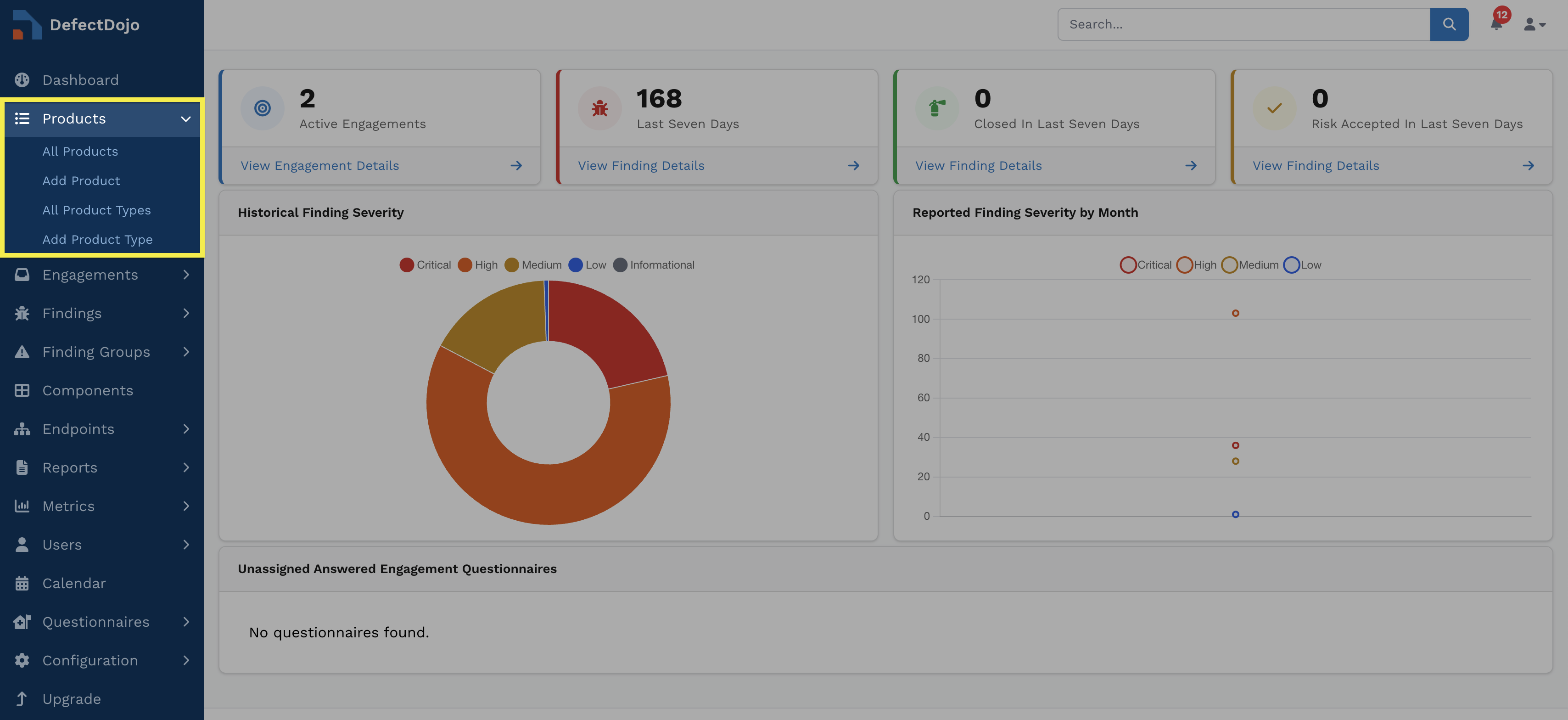
Product Types are accessible via the sidebar. The submenu also provides the option to create new Product Types.
Product Type View
A Product Type’s view contains a variety of tables and charts to interpret its status at a glance. This includes:
- Description
- Key/Critical Checkbox
- Checking Critical or Key is used solely for filtering purposes
- List of Products within the Product Type
- Authorized Users (DefectDojo Users)
Working with Product Types
Create Product Types
There are two ways to create Product Types:
- From the Add Product Type option in the side menu
- From the Add Product Type button at the top of the All Product Type list
Edit Product Types
Product Types can be edited by clicking Edit from within the dropdown menu at the top right of the Description table in the Product Type’s view. The same menu can also be accessed by clicking the ⋮ kebab menu to the left of the Product Type in the All Product Type list.
All ensuing fields that can be edited are also available when the Product Type is being created.
Delete Product Types
Deleting a Product Type can be performed by selecting Delete Product Type from the Product Type’s settings.
Because Product Types sit at the top of the hierarchy, deleting them removes all downstream security history, relationships, and child objects, such as:
- Any Products, Engagements, and Tests contained within the Product Type
- All associated security history, including Findings and integrations
- Any linked Jira Epics
- All notes and file uploads associated with the Products, Engagements, and Tests within that Product Type
Deleting a Product Type can’t be undone. If you would like to “decommission” a Product Type without deleting underlying data (for example, preserving legacy software testing records for audit purposes), you can change the Product Type’s name or add a Tag to indicate that it is in a deprecated state.
Product Types vs. Metadata
Product Types are intended to represent structural ownership or reporting boundaries, rather than lightweight classifications. Attributes such as deployment status, internal labels, or temporary workflow states may be better represented through tags or metadata rather than separate Product Types.
Product Type Boundaries
Product Types establish both reporting and access boundaries within DefectDojo. Because integrations, RBAC permissions, ownership, metrics, and deduplication models frequently inherit Product Types’ structure, designing clear boundaries early helps avoid hierarchy sprawl and reporting fragmentation later.
Findings and Automation
Although integrations are typically configured on lower-level objects such as Product Types, Engagements, or Findings, Product Types still define the ownership, reporting, and access boundaries within which those integrations operate.
Permissions cascade downward, meaning that access to a Product Type automatically grants access to all objects within that Product Type (e.g., Product Types, Engagements, Tests, and Findings).
The DefectDojo RBAC model can be used to gate human user access, but can also restrict API tokens’ access to particular Product Types.
For more information on user roles, see our Permissions article.
Ownership
As top-level objects, Product Types also imply ownership over the child objects within them. SLA tracking, remediation workflows, ticket routing, and general governance all flow more smoothly when Product Types have been set up to accurately reflect the individuals accountable for them.
Metrics/Reporting
Metrics dashboards, tiles and views can be filtered per Product Type, making them a critical component in how your security data is calculated, visualized, and ultimately exported.
For reporting purposes, it is generally easier to combine multiple Product Types into a single document than it is to subdivide a single Product Type into separate documents. Therefore, we recommend setting up Product Types at as granular a level as makes sense for your team’s reports. For example, there is no need to represent a large business division as a Product Type if you’re primarily going to be reporting to individual departments within that division.
Effectively structuring your Product Types to reflect your reporting needs is critical to accurately assessing your security posture. For more information on Metrics, click here.
Deduplication
Deduplication in DefectDojo occurs at the Product level, and is not affected by the parent Product Type.