

Products (Open Source)
Product Types → PRODUCTS → Engagements → Tests → Findings
Overview
Products sit at the center of how security work is organized within DefectDojo’s object hierarchy. Products represent any project, program, software, or physical asset that your security team is testing, and host all of the security work and testing history related to the testing goal. Examples of Products can include:
- Software releases
- Third-party software
- Virtual machines or assets in production
- A single application
- A microservice
- An API
- A SaaS platform
- A mobile app
- An internal system
- A business service
- A customer-facing platform
- A cloud environment or infrastructure domain
In general, a Product should represent the “thing” whose security posture you want to track over time. This includes the associated testing history, Findings, metrics, ownership, integrations, and remediation workflows related to that “thing.”
Product Examples
Products can become even more granular depending on the needs of your organization. For example, you may consider creating separate DefectDojo Products in the following scenarios:
- “ExampleProduct” has a Windows version, a Mac version, and a Cloud version
- “ExampleProduct 1.0” uses completely different software components from “ExampleProduct 2.0”, and both versions are actively supported by your company.
- The team assigned to work on “ExampleProduct version A” is different from the product team assigned to work on “ExampleProduct version B”, and needs to have different security permissions assigned as a result.
While you may also elect to represent these variations as Engagements within a single Product, RBAC can only be set at the level of Products or Product Types, which may limit users’ access to the appropriate Engagement (as well as the Tests and Findings within those Engagements) if they’re organized as such. For more information on RBAC and permissions in DefectDojo, click here.
Product Data
Products will always include the following components:
- Unique name
- Description
- Product Type
- SLA Configuration
Optional Product metadata includes:
- Tags
- Personnel information (e.g., Product Manager, Team Manager, Technical Contact, etc.)
- Regulations (e.g., HIPAA, GLBA, OPPA, etc.)
- Business criticality
- Platform (e.g., API, Desktop, IoT, Mobile, Web, etc.)
- Lifecycle (e.g., Construction, Production, Retirement, etc.)
- Origin (e.g., Third-Party Library, Purchased, Open Source, etc.)
- User records (i.e., the estimated number of user records in the Product)
- Revenue
This metadata improves filtering, reporting, and prioritization across your security program, but most importantly, Products also contain all of the Engagements, Tests, and Findings related to the testing efforts surrounding that Product. All Findings from Tests ultimately roll up to the Product level, enabling long-term tracking, trend analysis, and reporting.
Accessing Products
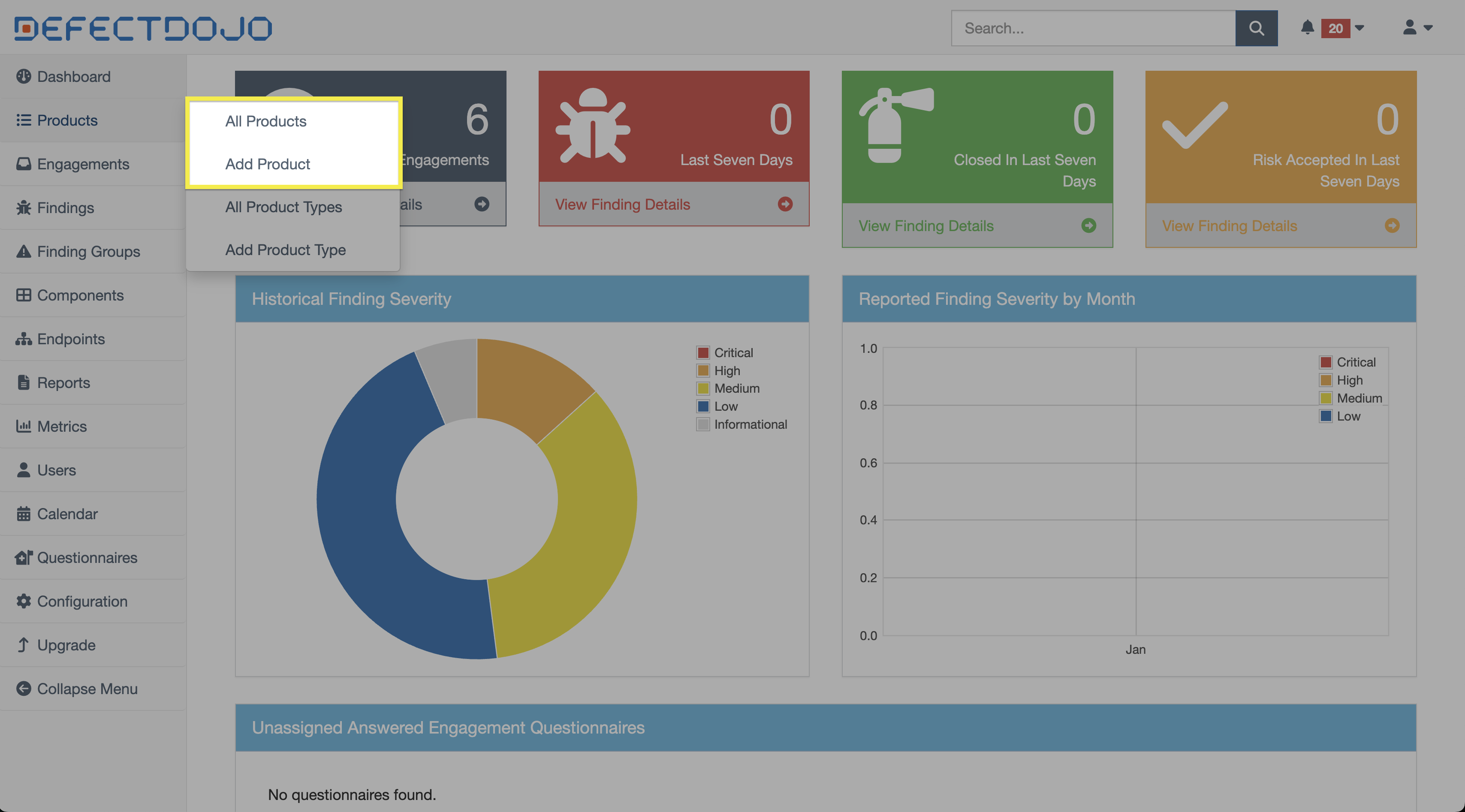
Products are accessible via the sidebar. The submenu also provides the option to create a new Product.
Permissions
Products can have Role-Based Access Control (RBAC) rules applied, which limit team members’ ability to view and interact with them.
Permissions cascade downward, meaning that access to a Product automatically grants access to all objects within that Product (e.g., Engagements, Tests, and Findings).
For more information on user roles, see our Introduction To Roles article.
Product View
Product views contain a variety of tables and charts to interpret a Product’s status at a glance. This includes:
- Metadata
- Including Product Type, business criticality, revenue, and other details added from the Product settings.
- Metrics
- A list of open Findings within the Product, grouped by severity
- Service Level Agreement by Severity
- Applies the Product SLA configuration from settings to the Findings within the Product.
- Technologies
- E.g., next.js, vue.js, npm v.1.2.3, Django, nginx, Hugo
- Regulations
- Benchmark Progress
- Members
- Groups
- Contacts
- Notifications
- Toggles notifications on and off depending on specific events (e.g., an Engagement has been added or closed)
Working with Products
Create Products
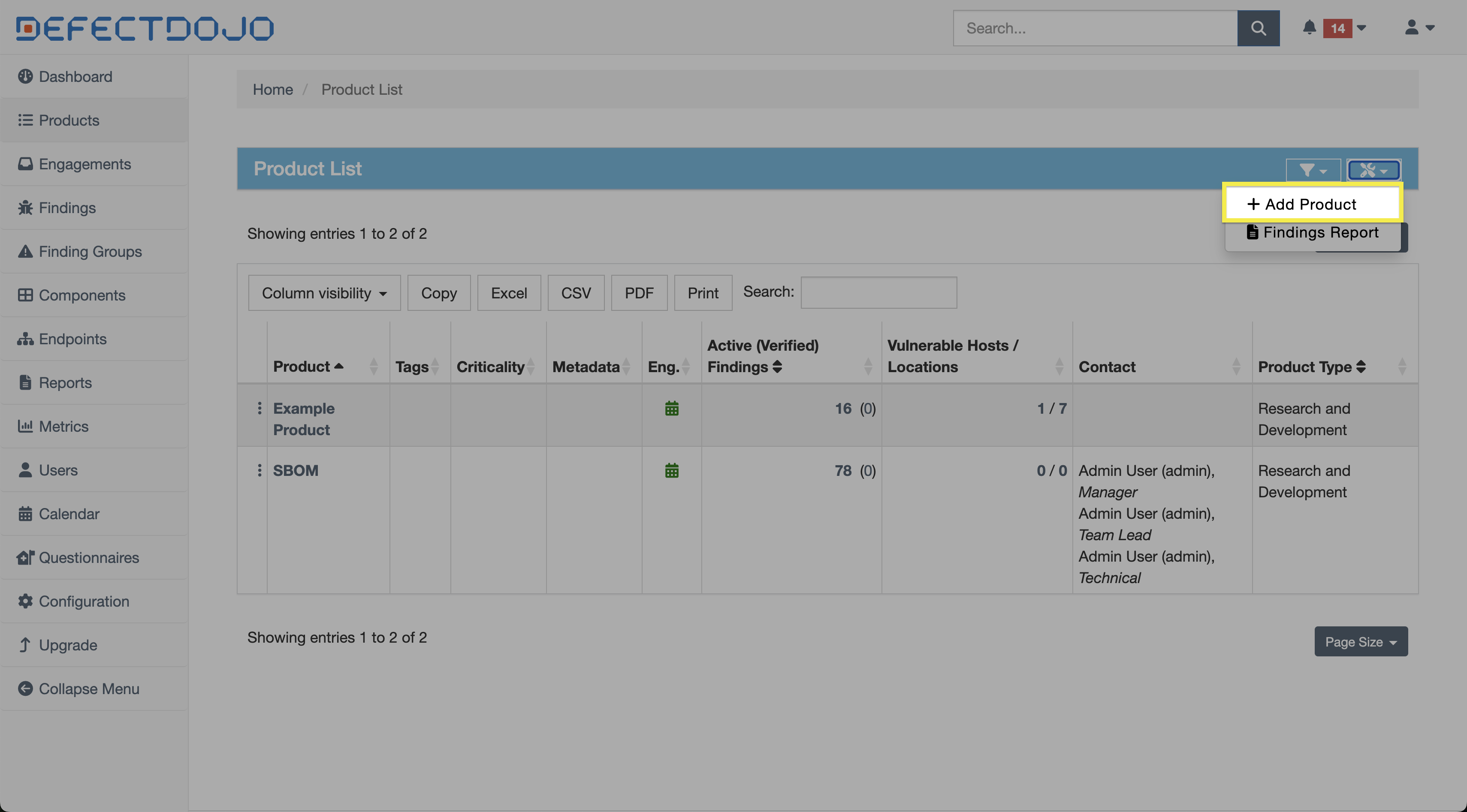
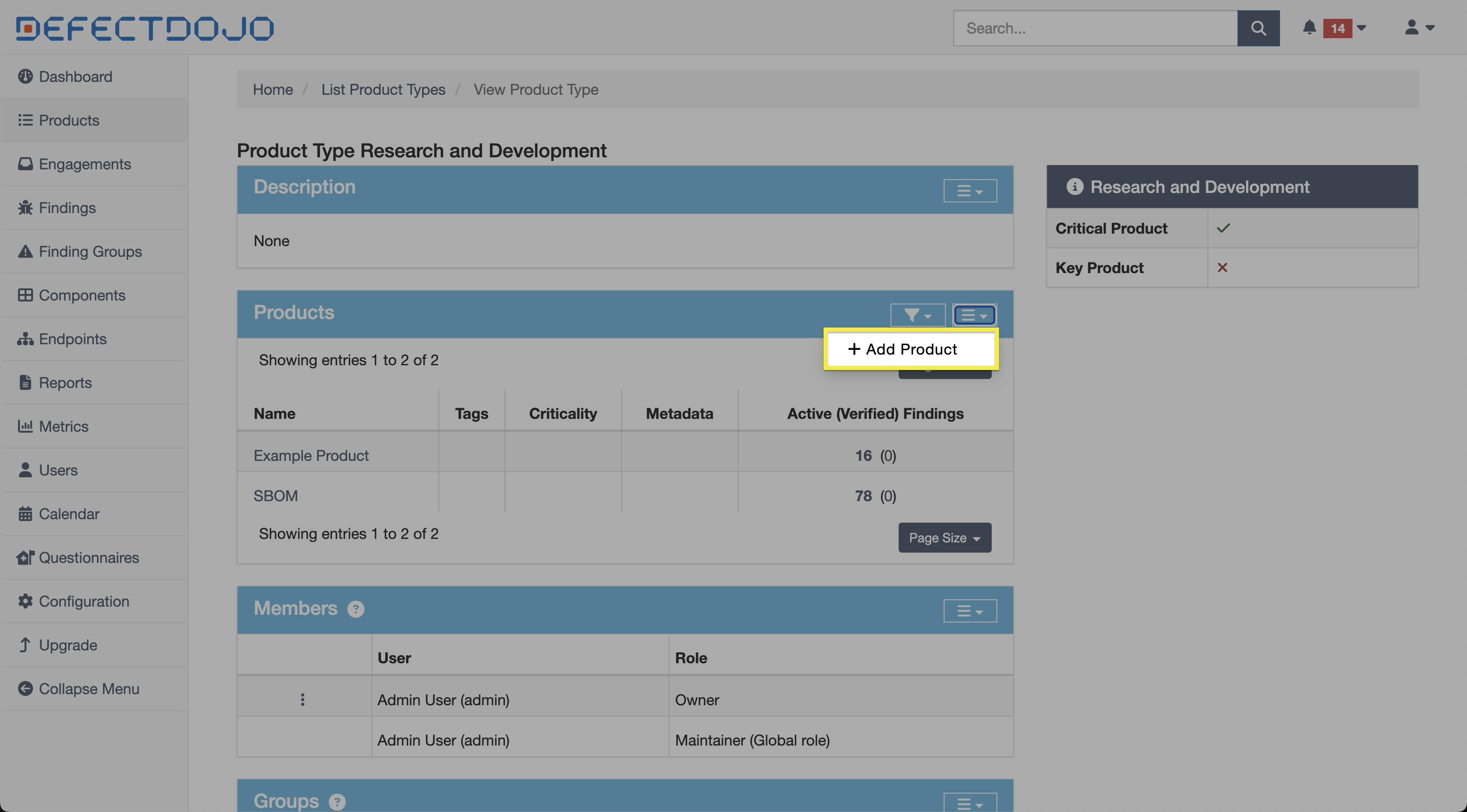
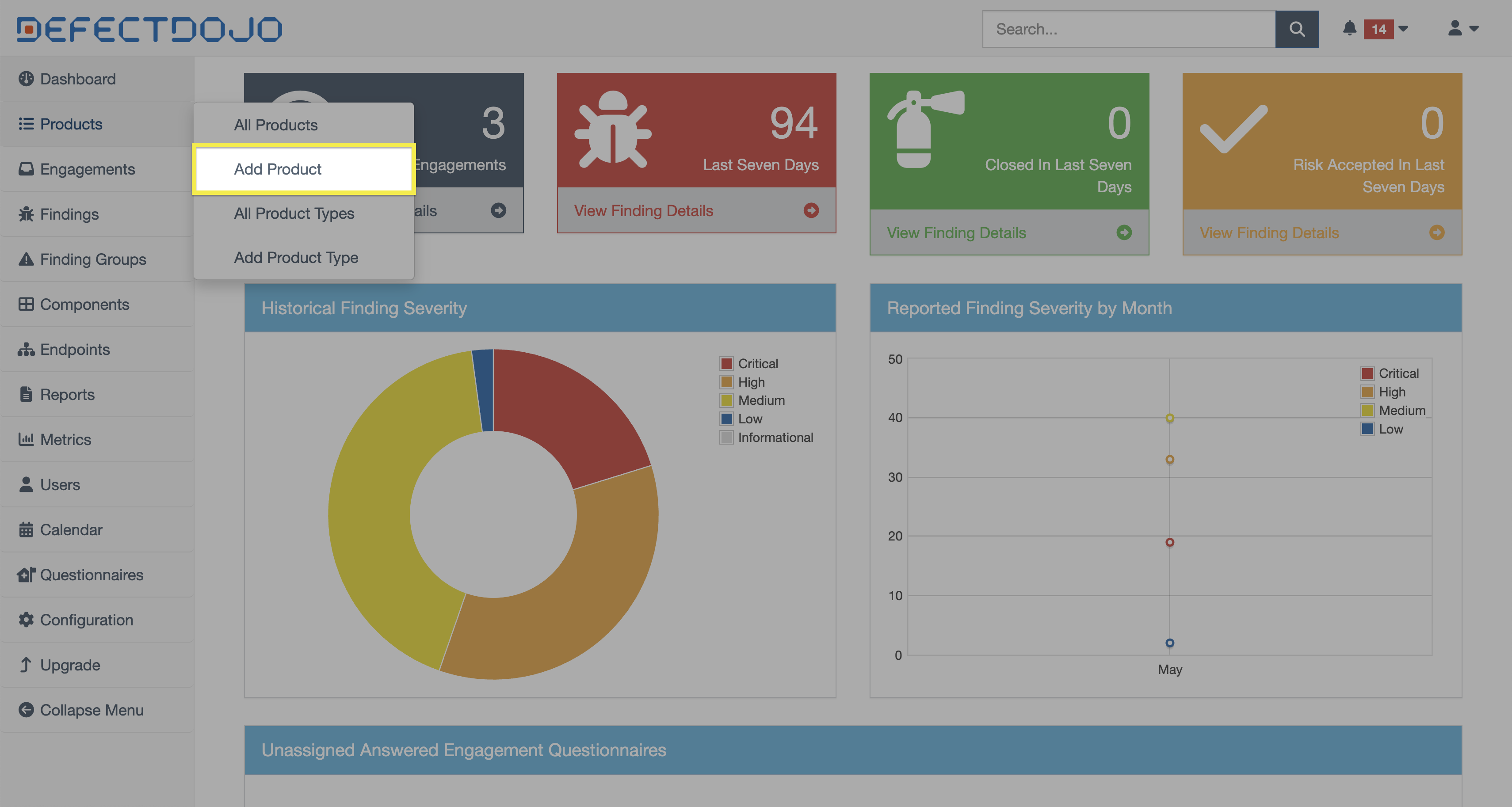
There are multiple ways to create a new Product, including:
- The Add Product button in the All Products list
- From the dropdown menu of the Products table within a Product Type’s view
- This will automatically create the Product within that Product Type.
- The Add Product button in the sidebar
Edit Products
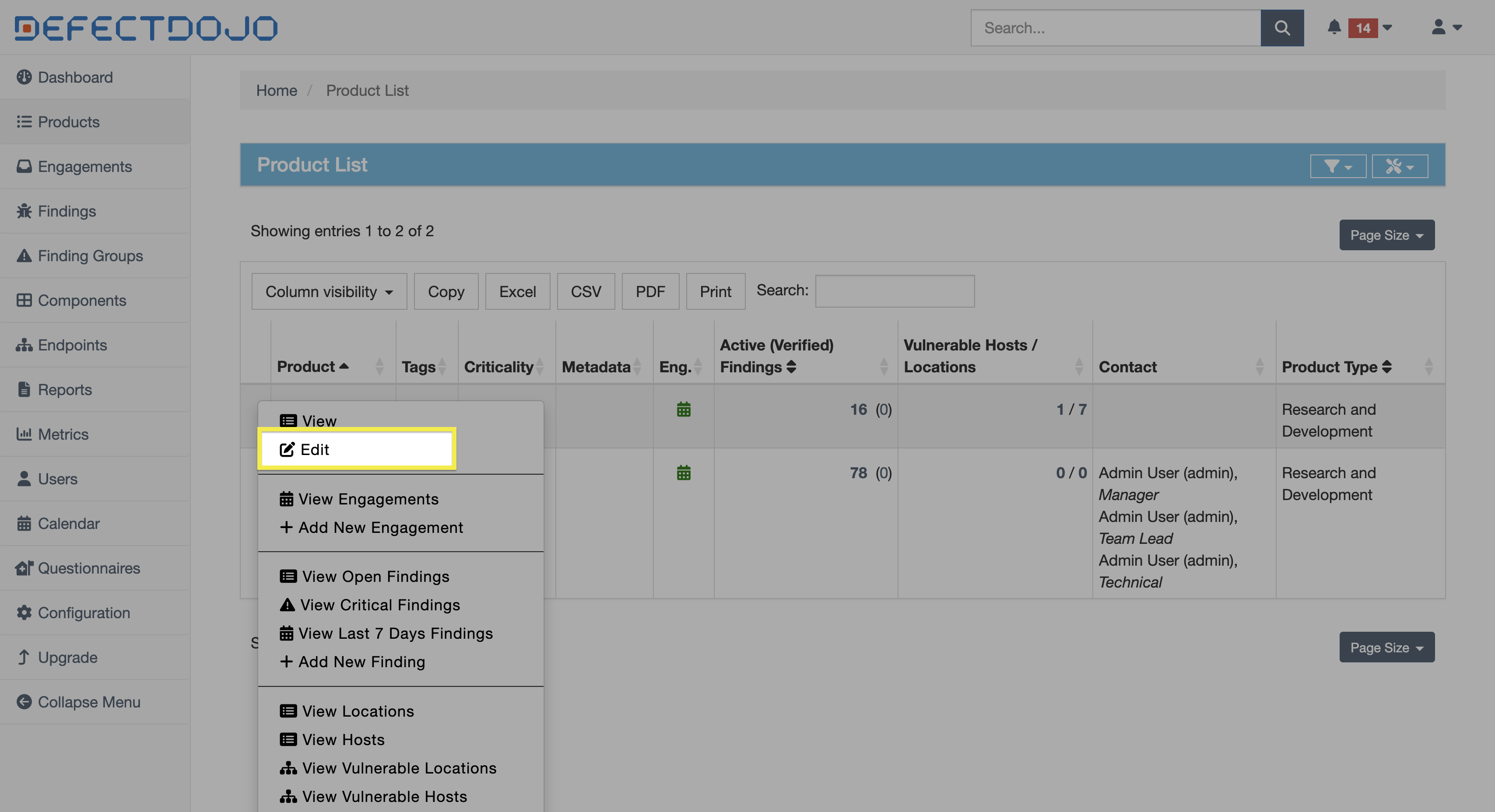
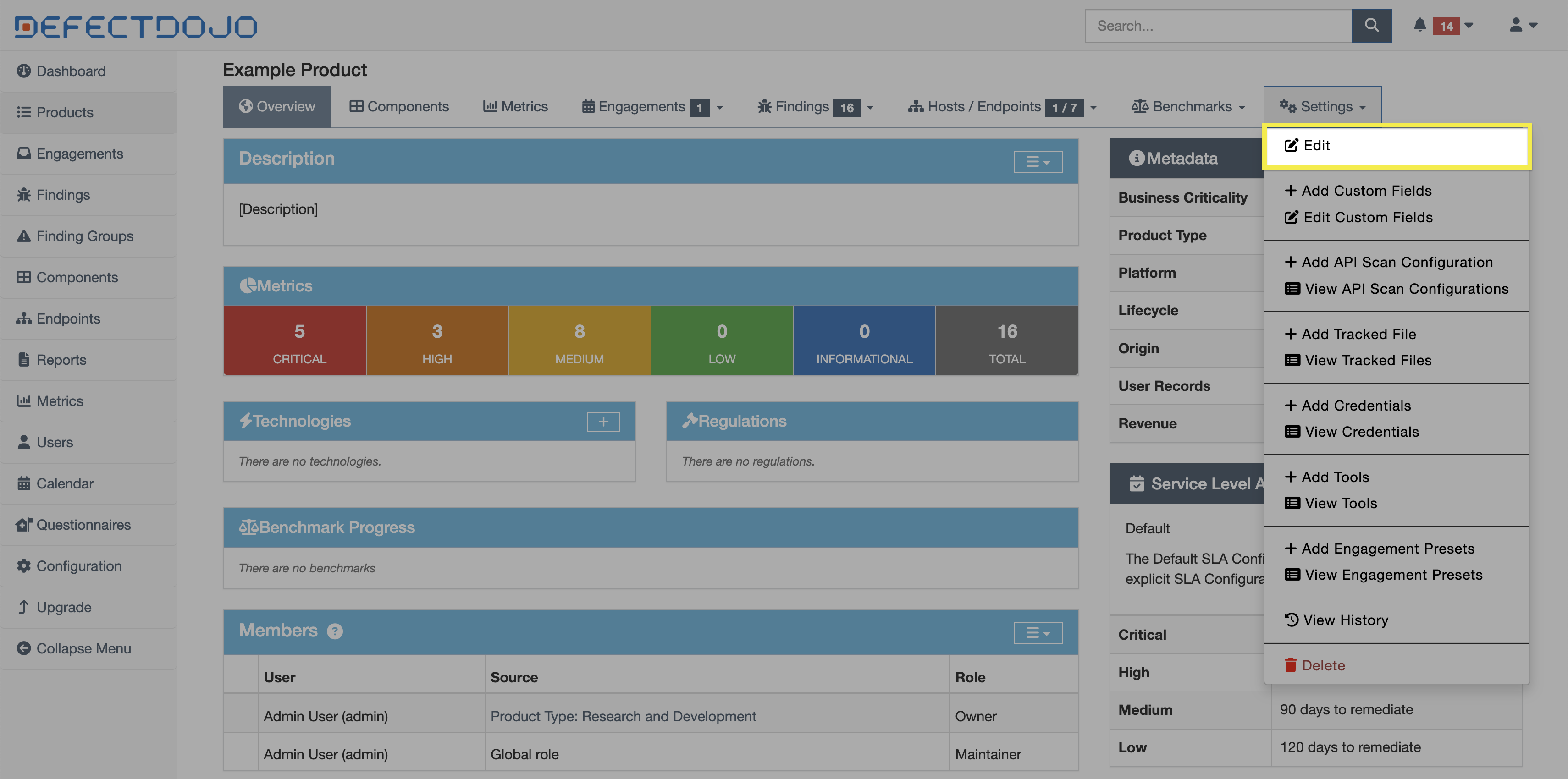
A Product can be edited from its settings, which can be accessed in two ways:
- The Edit button within ⋮ kebab menu to the left of the Product in the All Products view
- The Edit button within the Settings dropdown in the Product’s view
Delete Products
The option to delete a Product can be found at the bottom of the same menus described in the Edit Products section above. This action can’t be undone. Product can’t be closed and reopened later.
Deleting a Product will also delete the following:
- Any Engagements and Tests contained within the Product
- All associated security history, including Findings and integrations
- Any linked Jira Epics
- All notes and file uploads associated with the Product’s Engagements and Tests
Product Boundaries
Deduplication
Products are “walled-off” and do not interact with other Products. DefectDojo’s Smart Features, such as Deduplication, only apply within the context of a single Product. Findings across different Products will not be automatically deduplicated.
Metrics
Most reporting and metrics aggregate data at the Product level, making Products the primary unit for measuring and tracking risk.
As a result, many key metrics are calculated per Product, including:
- Total number of Findings (by severity or status)
- Mean time to remediate (MTTR)
- SLA compliance and breach rates
- Risk trends over time
This means that how Products are structured will directly impact the accuracy and usefulness of reports. For example, grouping multiple unrelated systems under a single Product may obscure risk visibility, while overly granular Product structures can fragment reporting, making it difficult to identify broader trends.
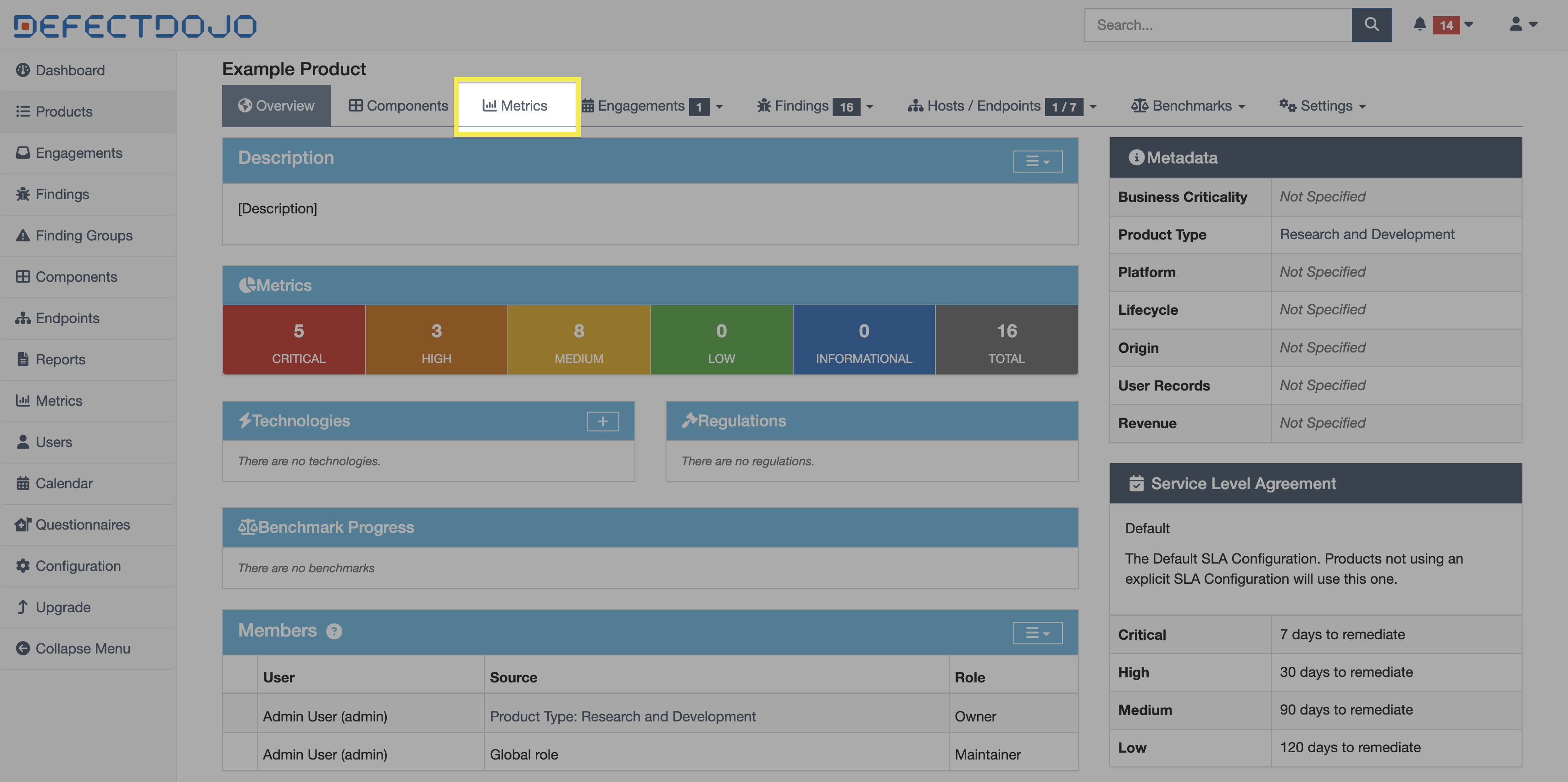
Product-specific metrics can be accessed from the Metrics button in the top bar of the chosen Product’s view.
CI/CD Pipeline
CI/CD pipelines automate the import of scan results. Regardless of the integration method, all scan imports must be associated with a Product, making the Product the anchor point for pipeline-driven security data.
When a pipeline submits scan results, it must either:
- Specify an existing Product (and optionally an Engagement), or
- Be configured in a way that consistently maps results to the correct Product
All imported Findings will inherit the Product’s context, including ownership, permissions, SLA configuration, and reporting scope.
In practice, Products should be defined to reflect how systems are built and deployed within CI/CD to ensure that security results are consistently associated with the correct application or service.
Jira Relationships
Products can be mapped directly to Jira Projects, which push the Product’s Findings into a Jira instance.
Because Findings inherit risk, priority, and ownership from their parent Product, the Product effectively determines the remediation context that flows into Jira tickets and Integrator workflows.
Importantly, Products are also the primary determining factor in a Finding’s SLA characteristics. Therefore, the SLA of a Findings depends on the SLA configuration of its parent Product. More information about SLA configurations can be found here.