Set Permissions in Pro (Pro)
Introduction to Permission Types
Individual users have four different kinds of permission that they can be assigned:
- Users can be assigned as Members to Products or Product Types. This allows them to view and interact with Data Types (Product Types, Products, Engagements, Tests and Findings) in DefectDojo depending on the role they are assigned on the specific Product. Users can have multiple Product or Product Type memberships, with different levels of access.
- Users can also have Configuration Permissions assigned, which allow them to access configuration pages in DefectDojo. Configuration Permissions are not related to Products or Product Types.
- Users can be assigned Global Roles, which give them a standardized level of access to all Products and Product Types.
- Users can be set up as Superusers: administrator level roles which give them control and access to all DefectDojo data and configuration.
You can also create Groups if you want to assign Product Membership, Configuration Permissions or Global Roles to a group of users at the same time. If you have a large number of users in DefectDojo, such as a dedicated testing team for a particular Product, Groups may be a more helpful feature.
Superusers & Global Roles
Part of your Role-Based Access Control (RBAC) configuration may require you to create additional Superusers, or users with Global Roles.
- Superusers (Admins) have no limitations in the system. They can change all settings, manage users and have read / write access to all data. They can also change access rules for all users in DefectDojo. Superusers will also receive notifications for all system issues and alerts.
- Users with Global Roles can view and interact with any Data Type (Product Types, Products, Engagements, Tests and Findings) in DefectDojo depending on their assigned Role. For more information about each Role and associated privileges, please refer to our Introduction to Roles article.
- Users can also have specific Configuration Permissions assigned, allowing them to access certain DefectDojo configuration pages. Users have no Configuration Permissions by default.
By default, the first account created on a new DefectDojo instance will have Superuser permissions. That user will be able to edit permissions for all subsequent DefectDojo users. Only an existing Superuser can add another superuser, or add a Global Role to a user.
Permissions in DefectDojo Pro have been simplified, to make it easier to assign object access. This feature can be accessed through the Pro UI.
Opening the Permissions window
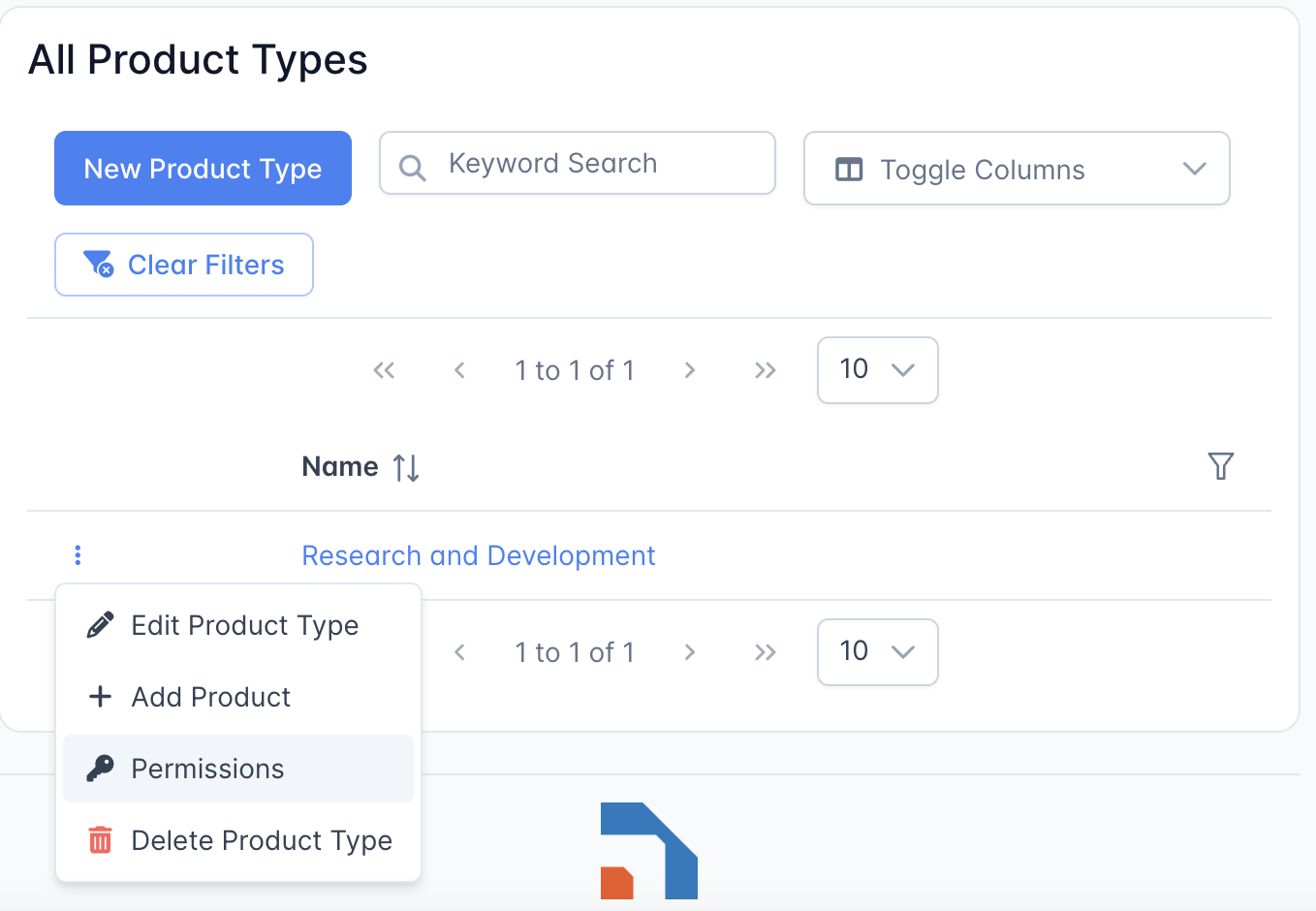
When looking at Product Type or Product, you can open the Permissions window to set permissions quickly. This menu can be found in a Table by clicking the horizontal dots "⋮". IF looking at an individual Product or Product Type page, this menu can be found under the blue gear ‘⚙️’.
Setting Permissions through the permissions window
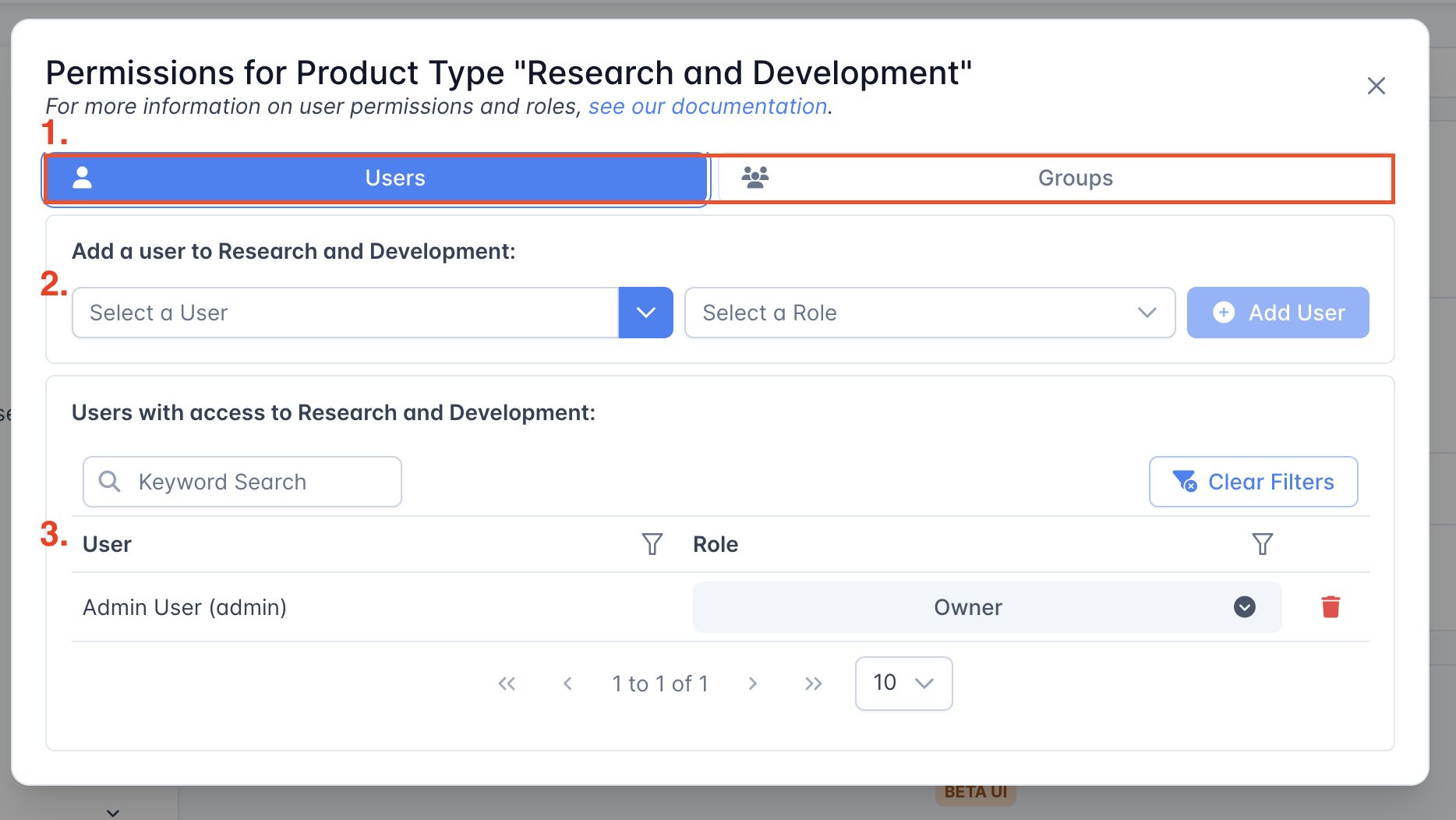
- At the top of this window, you can choose to manage permissions for an individual user or for a user group.
- Here, you can select a user or group to add to the Product, and select the Role that you want that user to have.
- On the lower table, you can see a list of all users or groups who have access to this object. You can also quickly assign a new role for one of these users or groups from the drop-down menu.
Setting Configuration Permissions through the User view
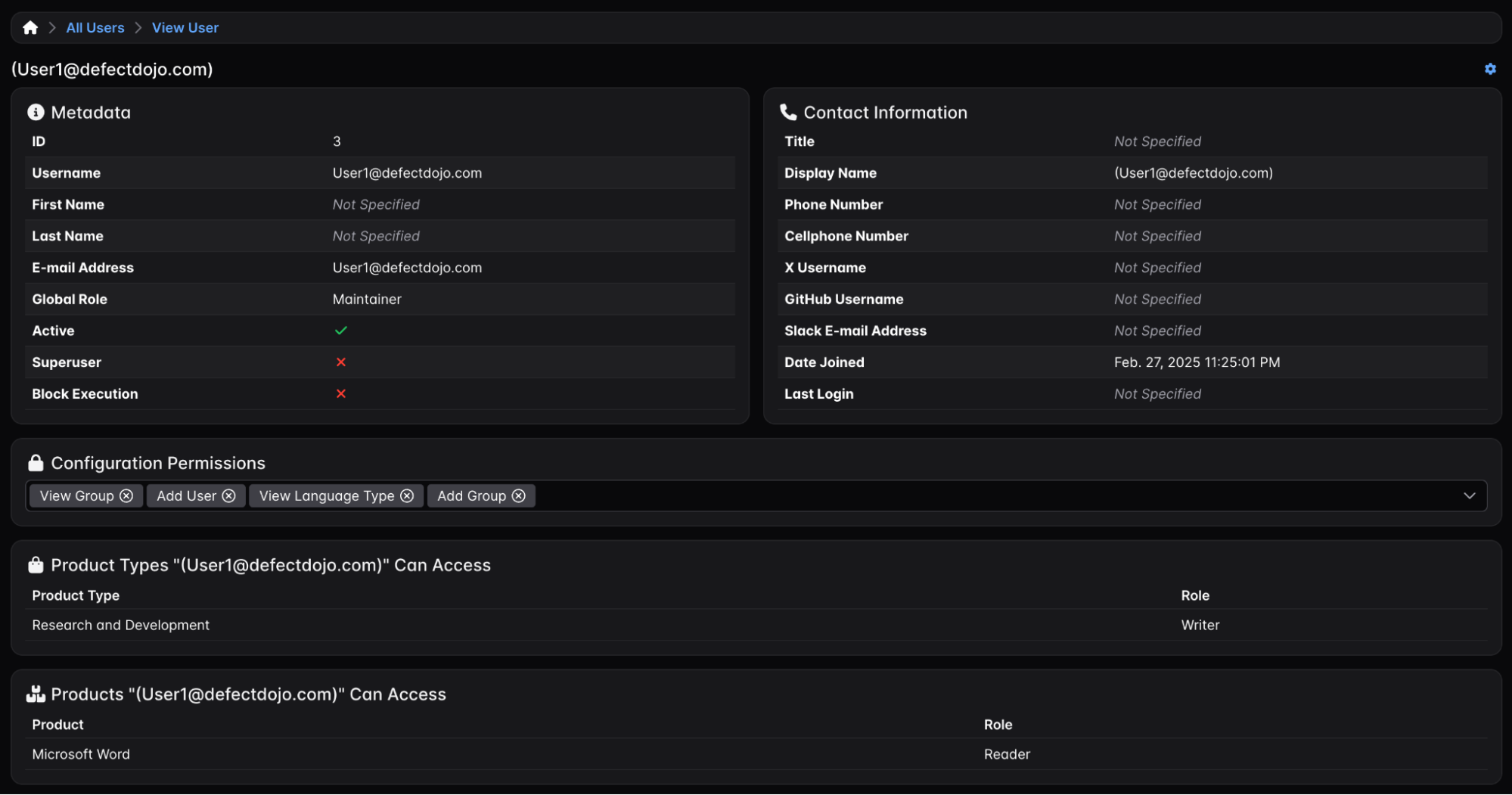
A user’s configuration permissions can now be set in a more user-friendly approach. From the Users View, all configuration permissions are displayed in a dropdown, then grouped by the permission type. If the selection of configuration permissions is different from their current value, an “Update Configuration Permissions” button is displayed. When clicked, the user will be asked to confirm they would like to update the permissions for the selected group before an update is made.