

SAML Configuration
DefectDojo Pro supports SAML authentication via the Enterprise Settings UI. Open-Source users should refer to the Open-Source SAML guide.
Setup
Open Enterprise Settings > SAML Settings.
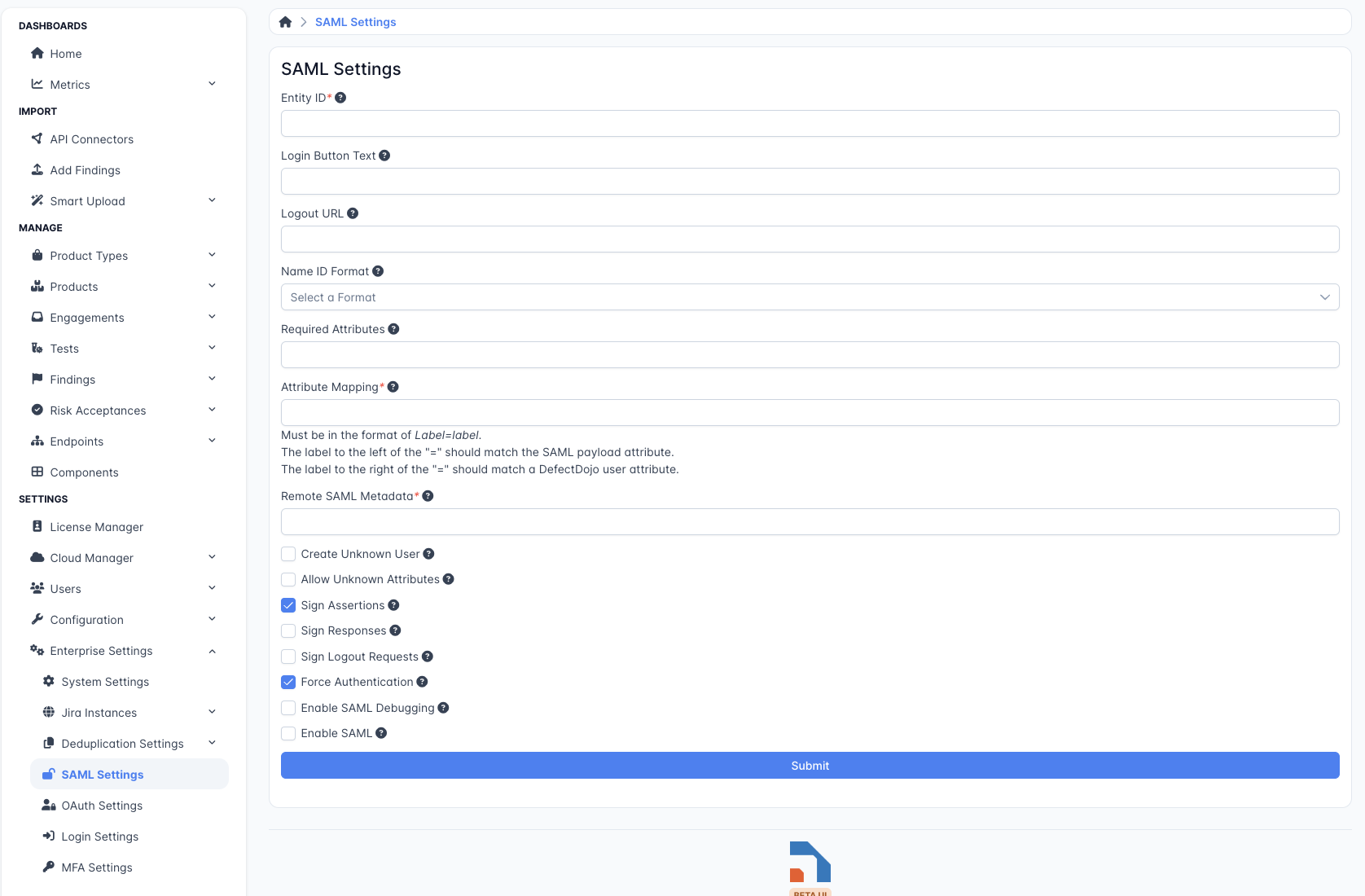
Set an Entity ID — a label or URL that your SAML Identity Provider uses to identify DefectDojo. This field is required.
Optionally set Login Button Text — the text shown on the button users click to begin SAML login.
Optionally set a Logout URL to redirect users to after they log out of DefectDojo.
Choose a Name ID Format:
- Persistent — users are consistently identified by SAML across sessions.
- Transient — users receive a different SAML ID on each login.
- Entity — all users share a single SAML NameID.
- Encrypted — each user’s NameID is encrypted.
Required Attributes — specify the attributes DefectDojo requires from the SAML response.
Attribute Mapping — map SAML attributes to DefectDojo user fields. For example:
email=email. The left side is the attribute name from the SAML response; the right side is the DefectDojo user field.Remote SAML Metadata — the URL where your SAML Identity Provider metadata is hosted.
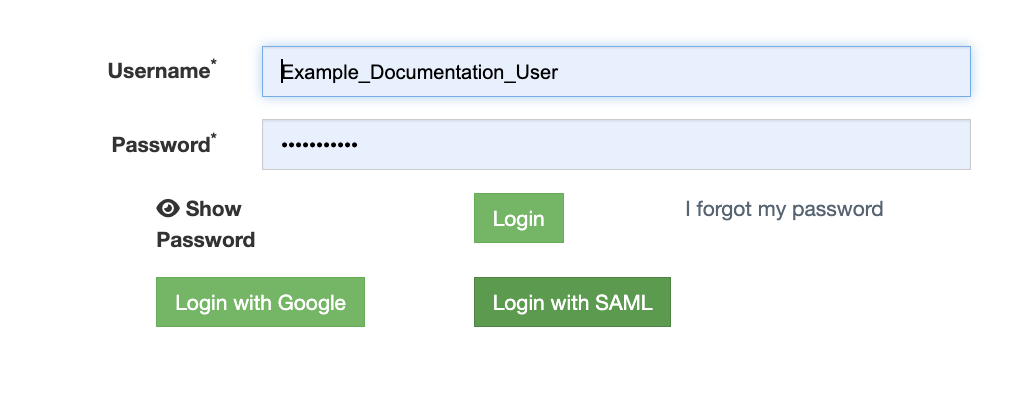
Check Enable SAML at the bottom of the form to activate SAML login. A Login With SAML button will appear on the DefectDojo login page.
 .
.
SAML Group Mapping
DefectDojo can use the SAML assertion to automatically assign users to User Groups. Groups in DefectDojo assign permissions to all of their members, so Group Mapping allows you to manage permissions in bulk. This is the only way to set permissions via SAML.
The Group Name Attribute field specifies which attribute in the SAML assertion contains the user’s group memberships. When a user logs in, DefectDojo reads this attribute and assigns the user to any matching groups. To limit which groups from the assertion are considered, use the Group Limiter Regex Expression field.
If no group with a matching name exists, DefectDojo will automatically create one. Note that a newly created group will not have any permissions configured — those can be set later by a Superuser.
To activate group mapping, check the Enable Group Mapping checkbox at the bottom of the form.
Additional Options
- Create Unknown User — automatically create a new DefectDojo user if they are not found in the SAML response.
- Allow Unknown Attributes — allow login for users who have attributes not listed in the Attribute Mapping.
- Sign Assertions/Responses — require all incoming SAML responses to be signed.
- Sign Logout Requests — sign all logout requests sent by DefectDojo.
- Force Authentication — require users to authenticate with the Identity Provider on every login, regardless of existing sessions.
- Enable SAML Debugging — log detailed SAML output for troubleshooting.