

Okta
DefectDojo Pro supports login via Okta. Open-Source users should refer to the Open-Source Okta guide.
Prerequisites
Complete the following steps in Okta before configuring DefectDojo:
Sign in or create an account at Okta.
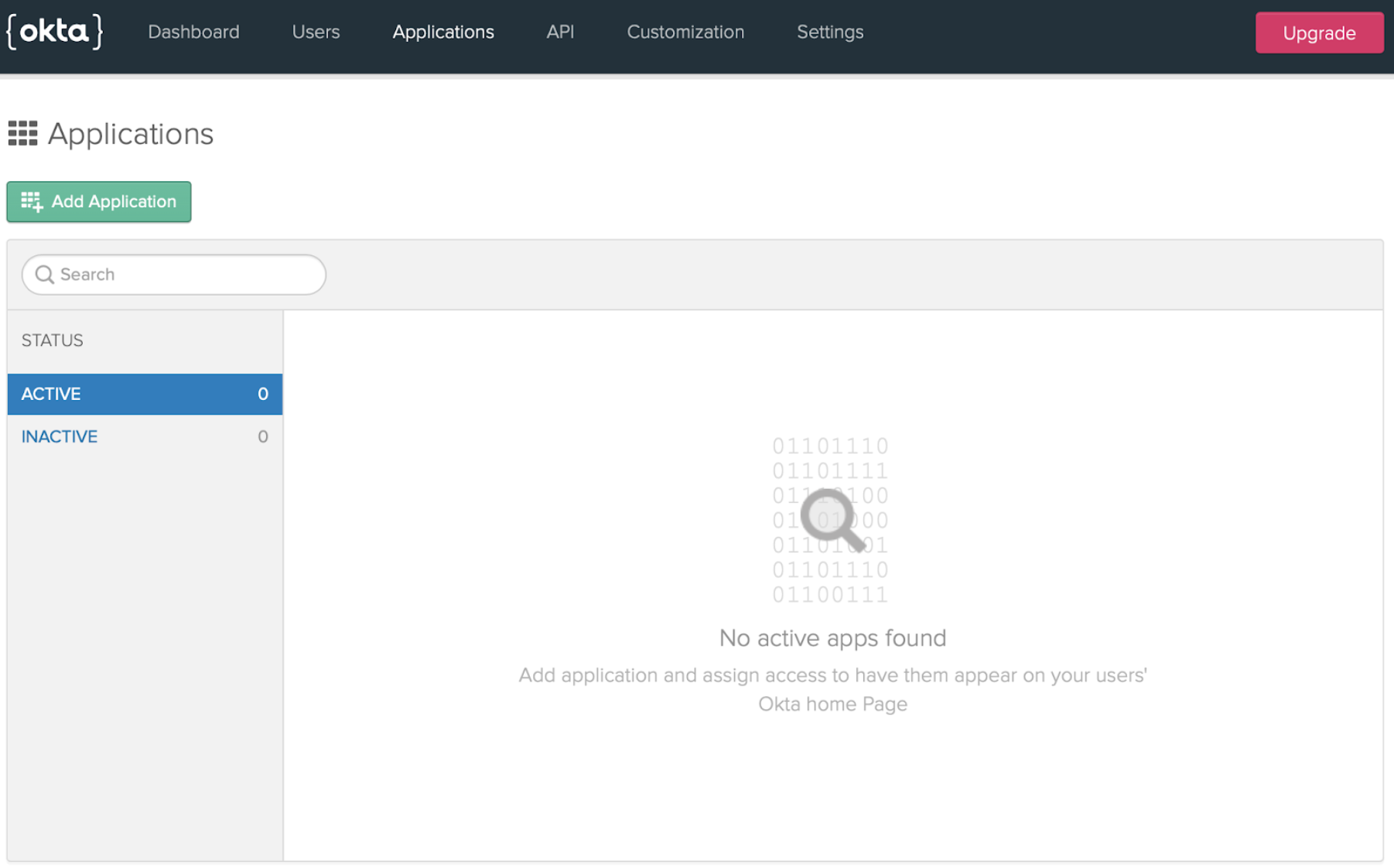
Go to Applications and click Add Application.
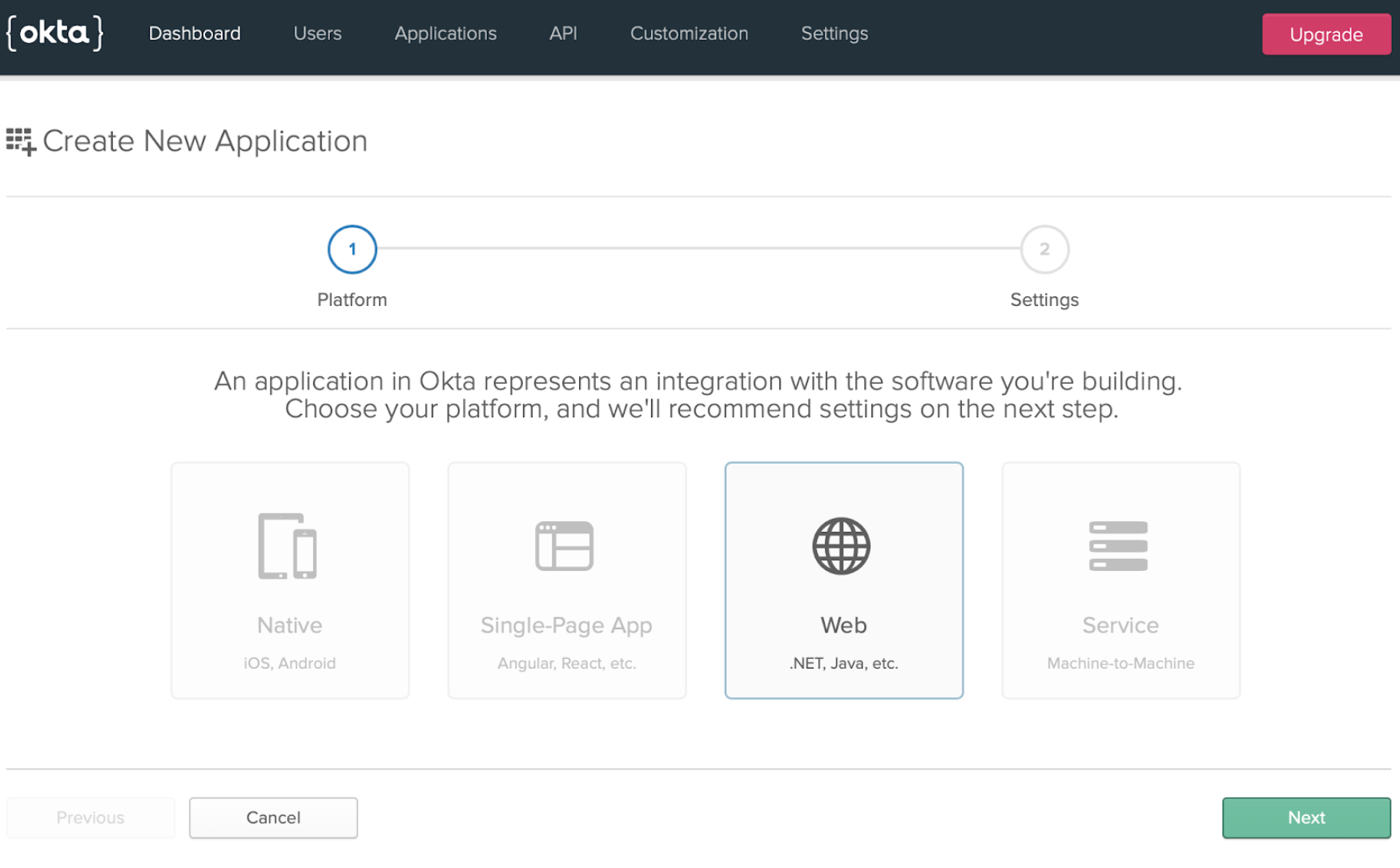
Select Web Applications.
Under Login Redirect URLs, add your DefectDojo callback URL. Also check the Implicit box.
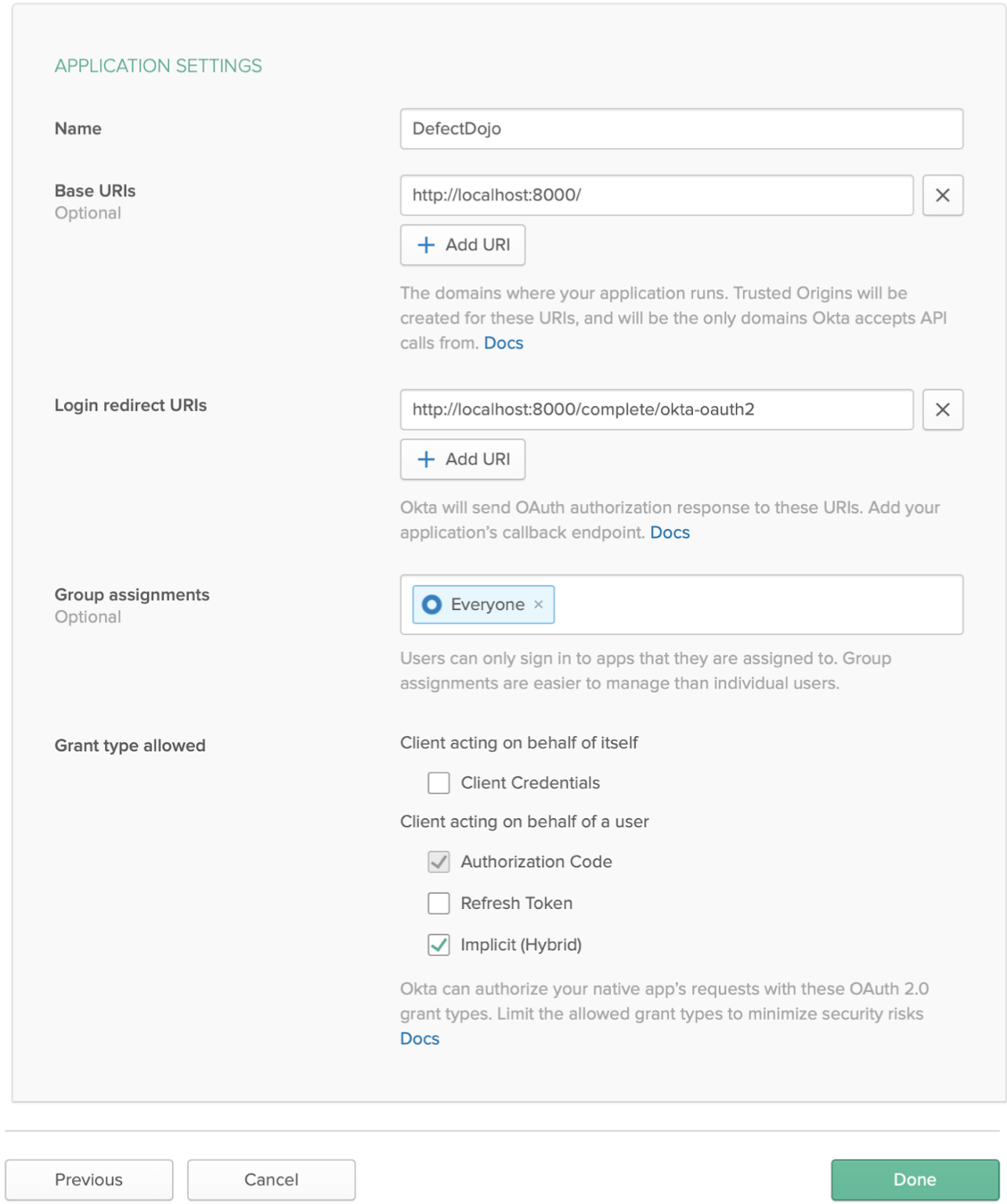
Click Done.
From the Dashboard, note the Org-URL.

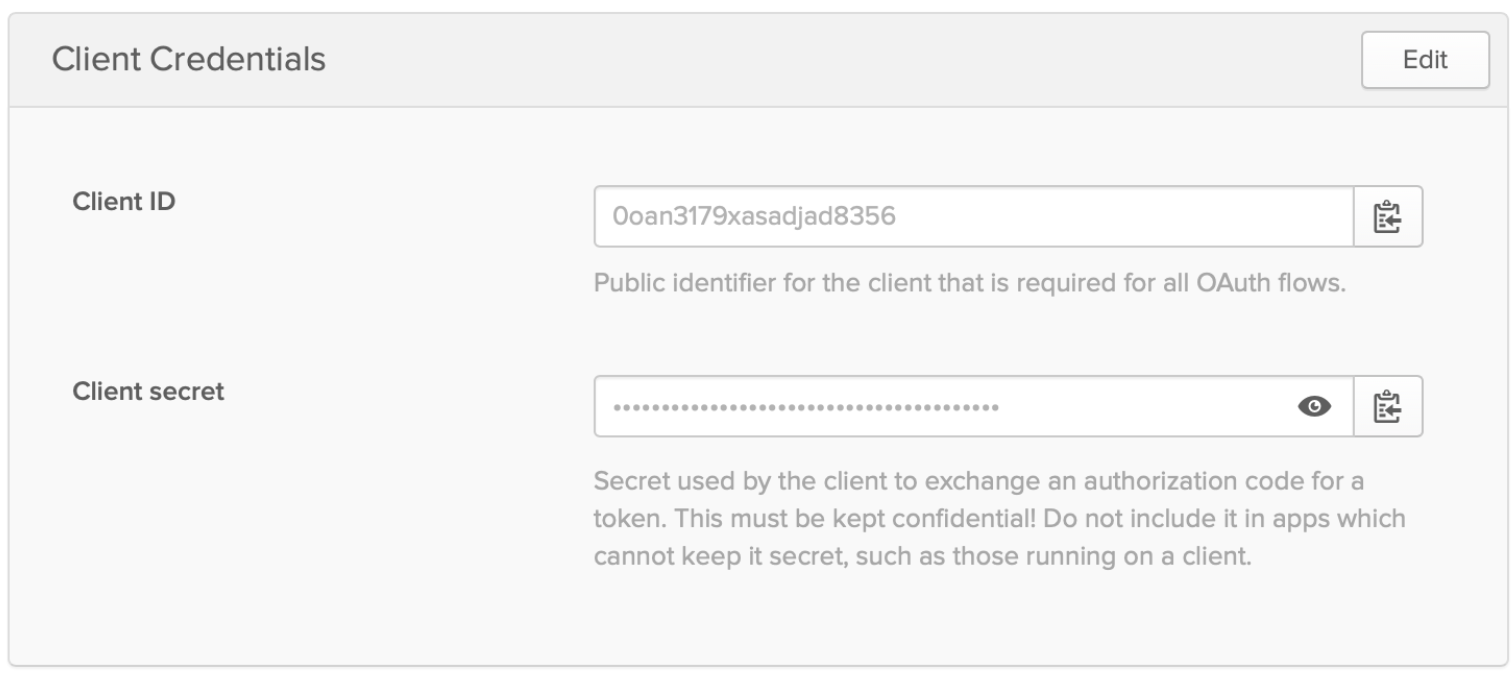
Open the newly created application and note the Client ID and Client Secret.
Configuration
In DefectDojo, go to Enterprise Settings > OAuth Settings, select Okta, and fill in the form:
- Okta OAuth Key — enter your Client ID
- Okta OAuth Secret — enter your Client Secret
- Okta Tenant ID — enter your Org-URL in the format
https://your-org-url/oauth2
Check Enable Okta OAuth and submit the form. A Login With Okta button will appear on the login page.